📋
Attempted Words
See how many words were attempted during the session.
Reports. Statistics. Leaderboards. Understand spelling development through session reports, WordBank statistics, part-of-speech breakdowns, level information and visible progress.
For learners, parents, teachers, tutors and spelling coaches.
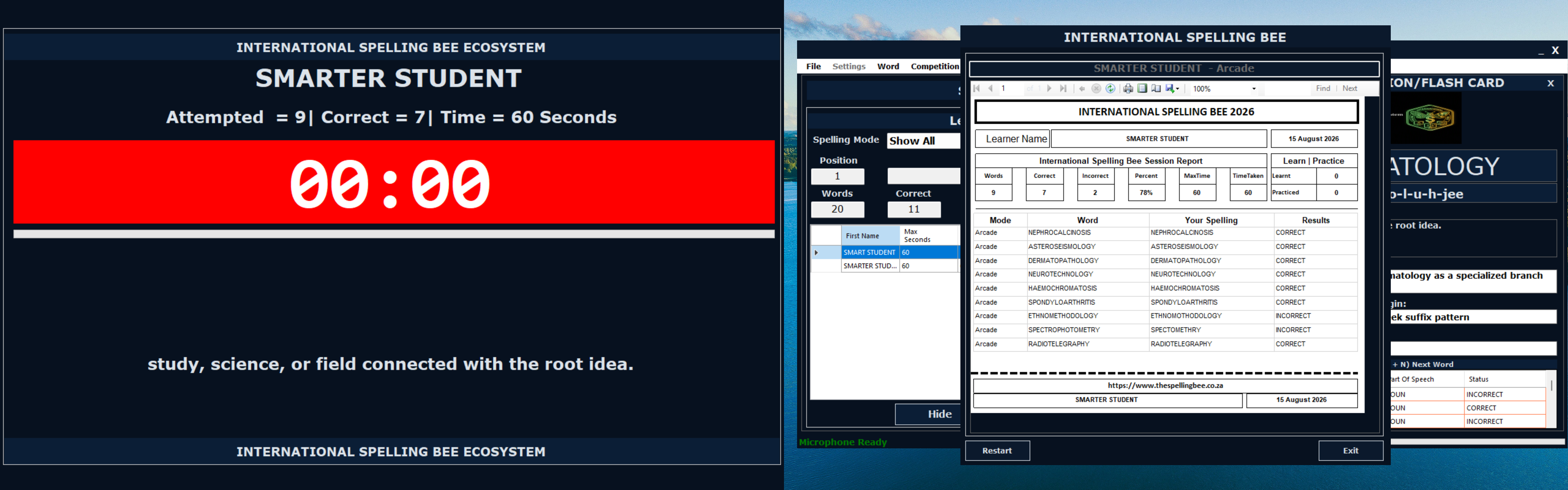
Track attempts, success rate, word types and learner progress.
Use session information to understand what happened during a learning or assessment activity.
See how many words were attempted during the session.
Compare accurate spellings with words that still require attention.
Use the percentage score to understand performance at a glance.
Review the learner's typed spelling next to the correct word.
See which words have been used, which remain available and how the learner is progressing.
Words the learner has already tried.
Words still available for future learning or practice.
Words answered correctly in available activities.
Words that may require additional attention.
Words reviewed in learning and practice modes.
A progress indicator showing how well the learner is performing.
Review the available results, identify the words or patterns needing more support and select the next focused practice activity.
Locate incorrect and unattempted words.
Select a WordBank, rule or filtered study set.
Use the relevant learning mode for more exposure.
Return to reports and statistics after the next session.
Review the available structure of the selected WordBank and use that information when planning future study.
View numbers of nouns, verbs, adjectives, pronouns, adverbs, prepositions and conjunctions.
See the distribution of levels and unspecified words in the selected WordBank.
Review whether the learner is improving or may need more support.
Use the statistics to decide what should be studied next.
Different users can apply the same factual learner information to their own learning environment.
See visible progress and identify the words that need more practice.
Review home-practice outcomes and focus on difficult words.
For Parents →Use reports and WordBank statistics to support classroom planning.
For Teachers →Use learner evidence to guide personalised tutoring sessions.
For Tutors →Leaderboards can make progress visible while keeping the learning focus on improvement and mastery.
Explore Learning EditionHelp learners see how continued practice contributes to improvement.
Encourage learners to return to WordBanks and activities.
Use rankings as encouragement rather than the only measure of learning.
Keep attention on words, patterns and skills that still need development.
Use a repeatable improvement cycle instead of treating each score as an isolated result.
Open available reports and WordBank statistics after a session.
Select difficult words, a Rule-Based WordBank or an Advanced Filter set.
Use learning activities and return to the progress information afterwards.
Preview the interfaces used to review learner outcomes and WordBank status.
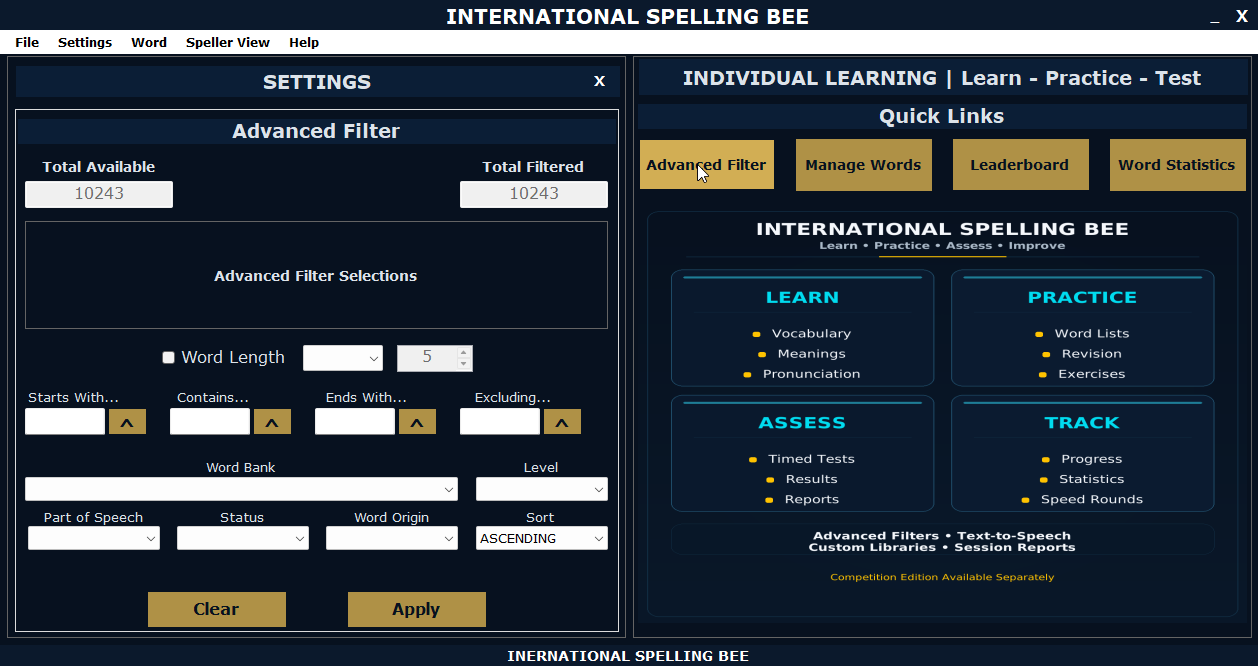
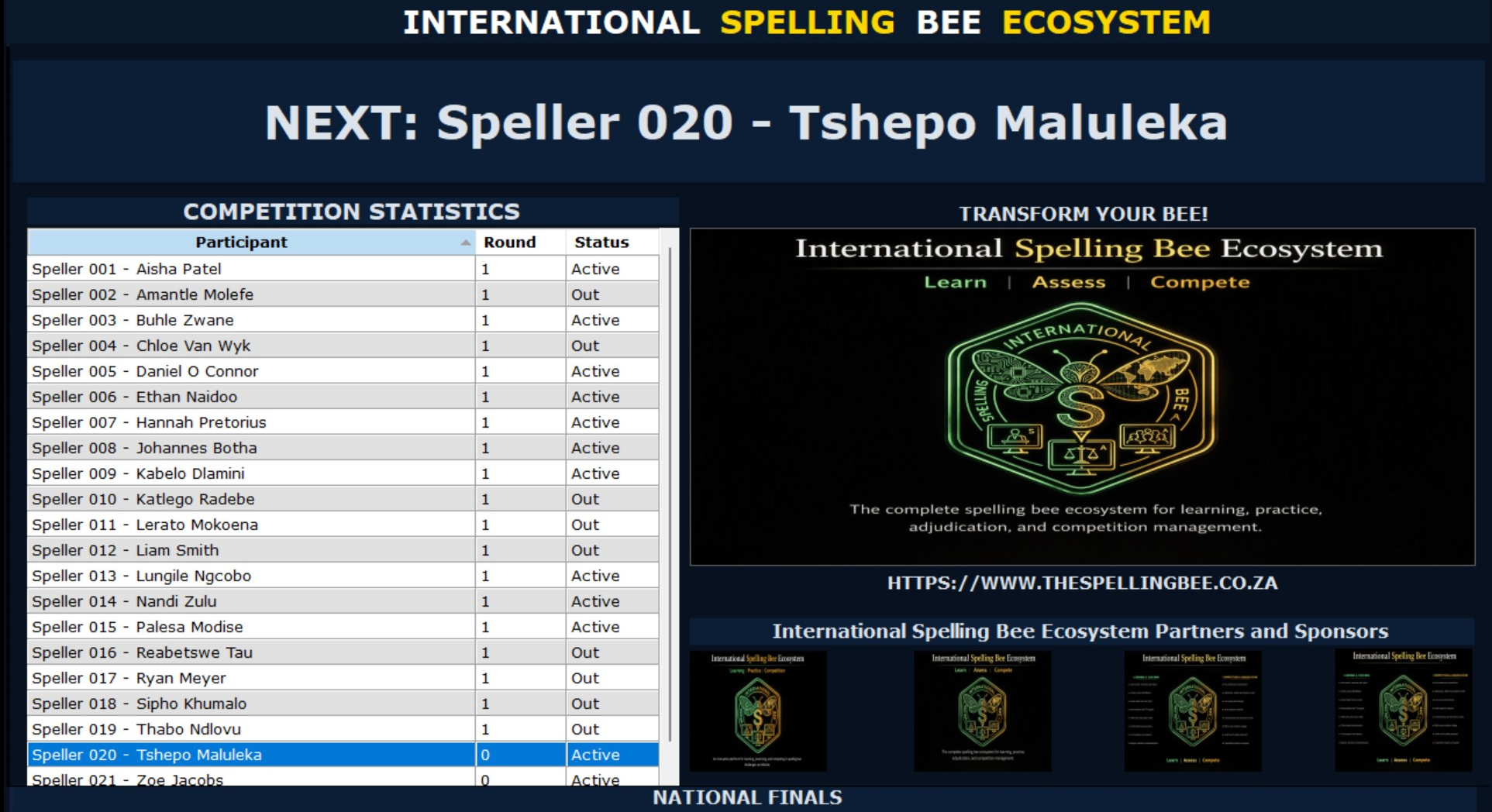
The Learning Privacy Statement addresses learner profiles, WordBanks, performance records, reports, settings, local storage and user-controlled sharing.
Read Learning Privacy StatementLearning records are generally stored on the device used for the software.
Progress records support learning, practice, assessment and review.
Users control reports and files they choose to export or share.
The statement addresses learner information and supervised use by children.
Use reports, WordBank statistics, breakdowns and leaderboards to guide more focused spelling development.