Software Gallery
See The Spelling Bee Platform In Action
A visual overview of the learning and competition experience.
From learning new words to managing live spelling bee competitions, The Spelling Bee provides a complete environment for preparation, training, and event delivery. Explore the screenshots below to see the platform in action and discover how learners, teachers, schools, and organizers benefit from a connected spelling bee experience.
Platform Experience
From Learning to Live Events
The software combines individual learning tools with competition-ready screens, giving learners, teachers and organizers a connected spelling bee environment.
- Study words with definitions, usage and word origins.
- Train spelling skills with structured activities.
- Manage WordBanks for focused preparation.
- Run professional spelling bee events with live displays.
Learning Screens
Built for Learner Preparation
These screens support everyday spelling practice, word study, timed assessments, progress tracking and classroom preparation.
Learn Mode
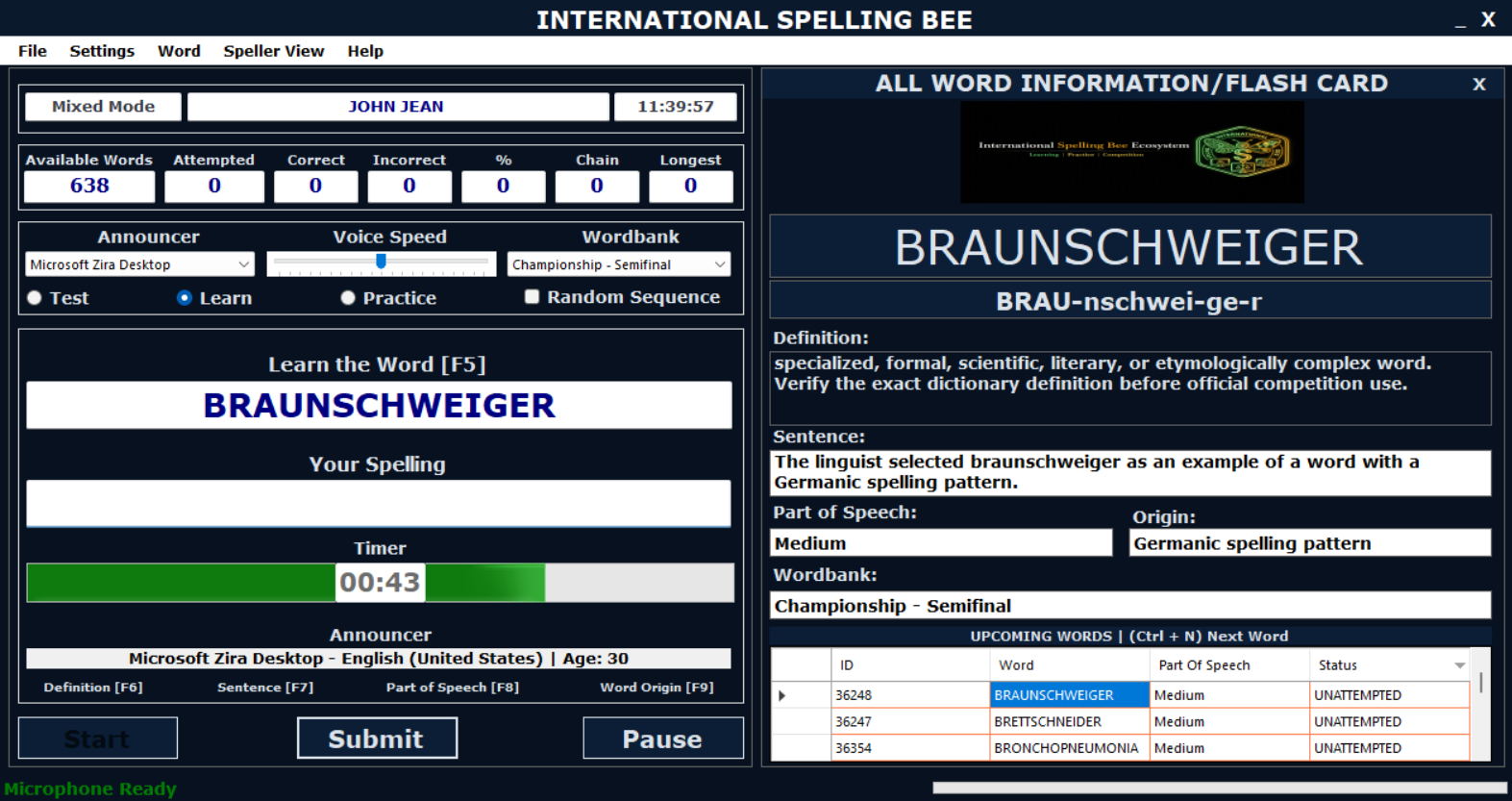
Study words with definitions, usage support, word information and spelling preparation tools.
Train Mode
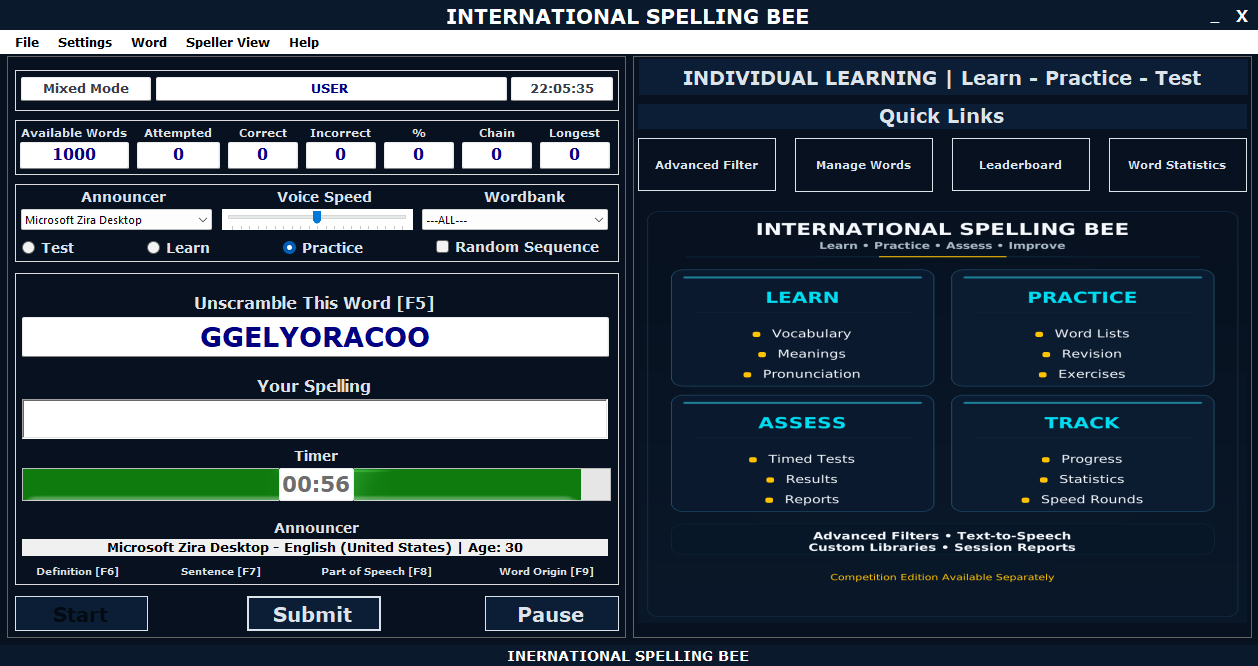
Train spelling skills through interactive activities designed to strengthen spelling accuracy.
Test Mode
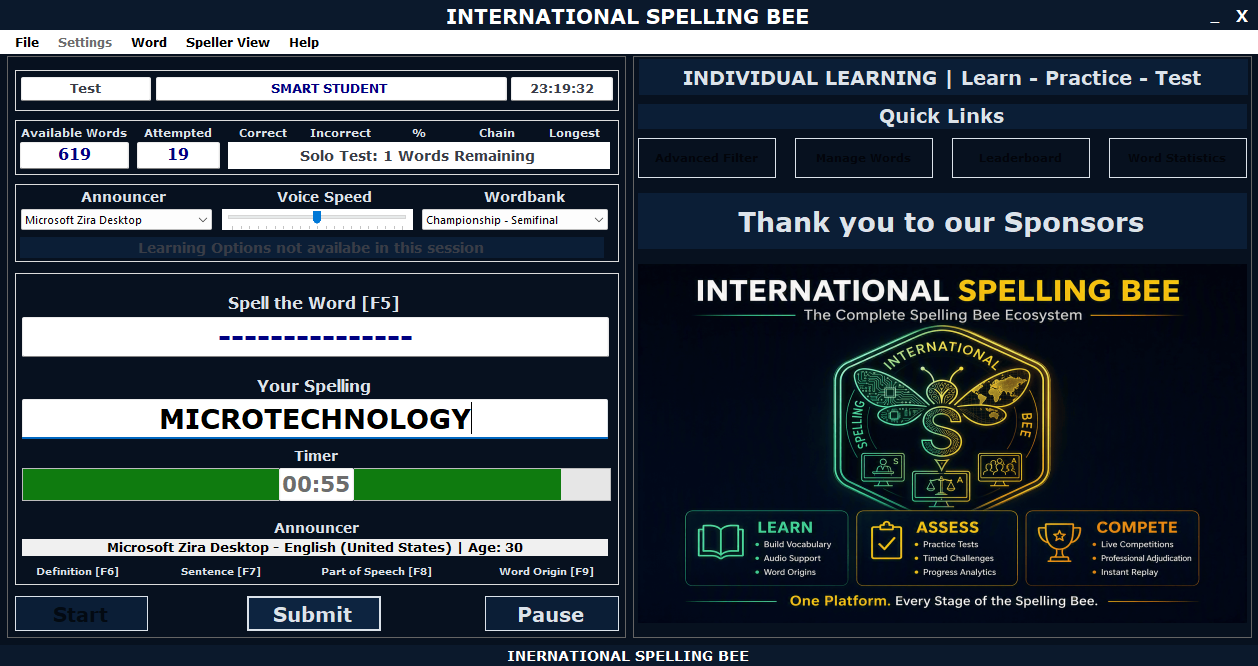
Use timed spelling assessments to review readiness and measure learner progress.
Arcade Mode
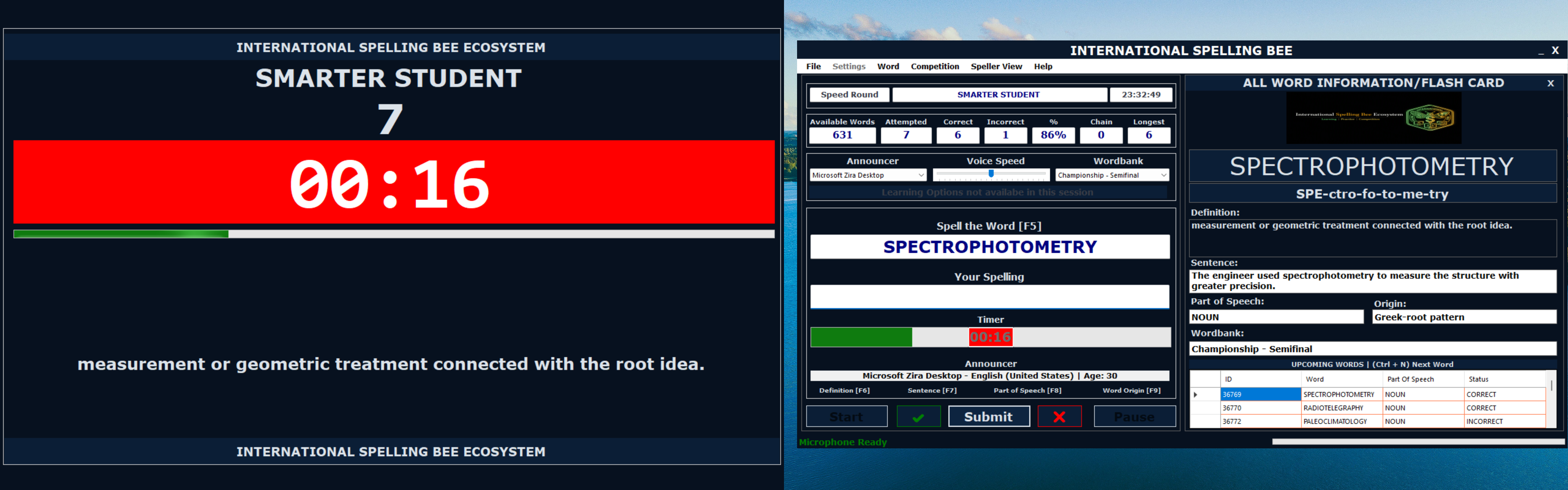
Keep learners engaged with fast-paced spelling practice and score-based challenges.
WordBank Management
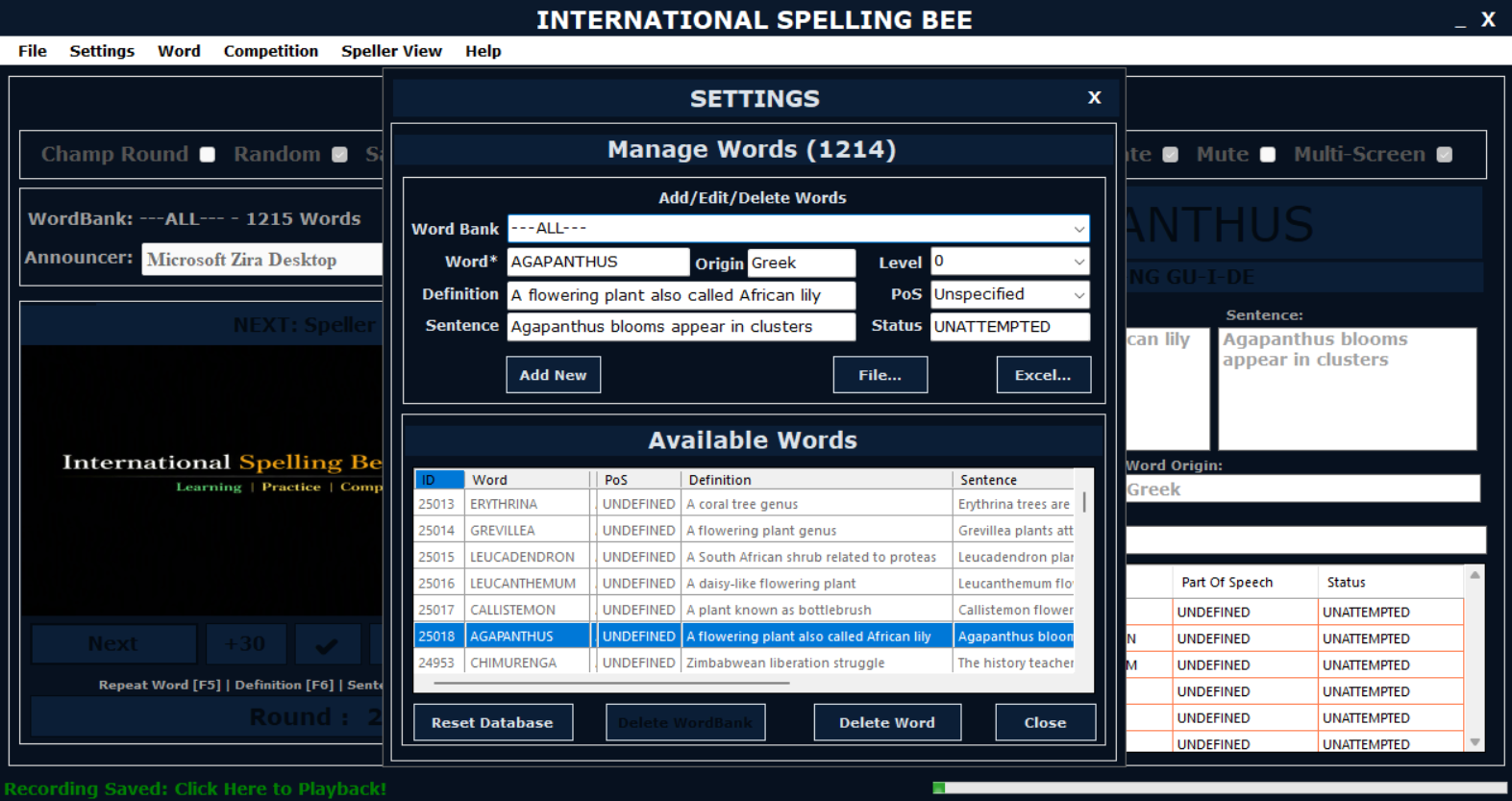
Create, organize and manage custom word lists for targeted learning or competition preparation.
Reports
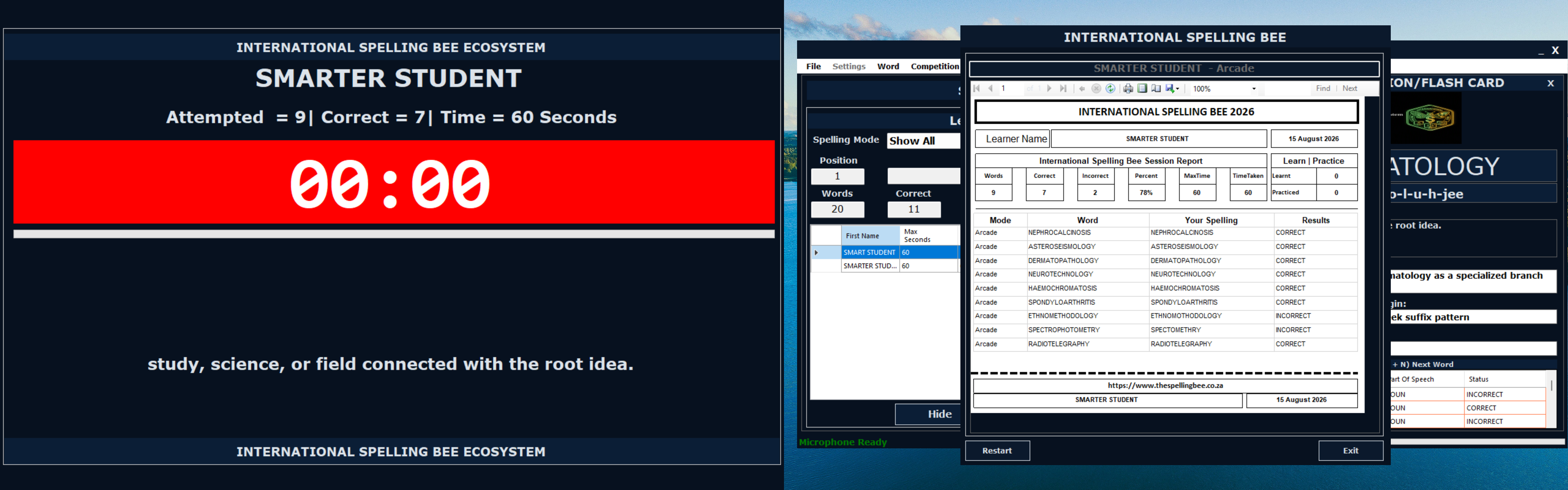
Review progress, session results, correct words, incorrect words and areas requiring more practice.
Competition Screens
Built for Live Spelling Bee Events
These screens support competition setup, round control, participant tracking, audience visibility and review.
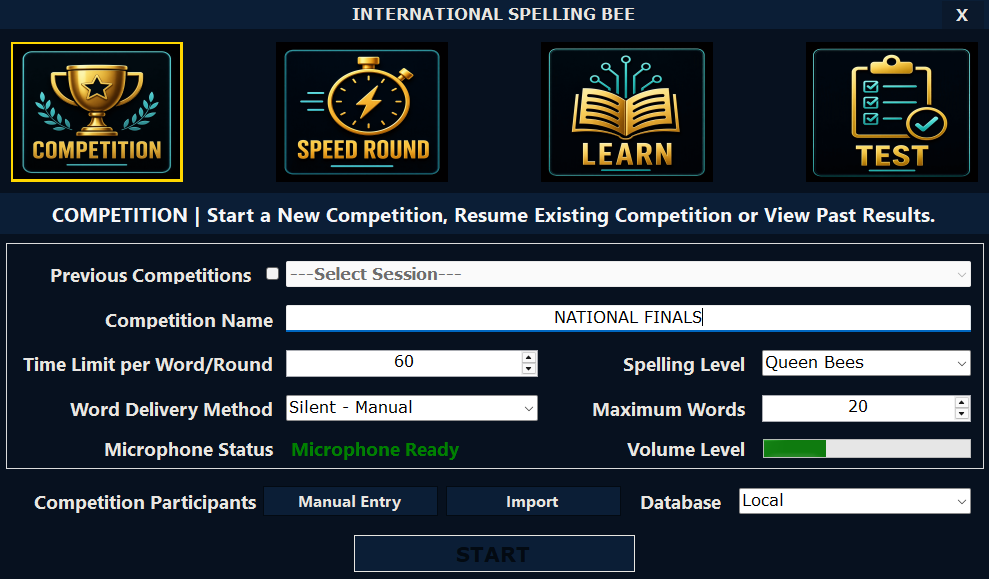
Competition Mode
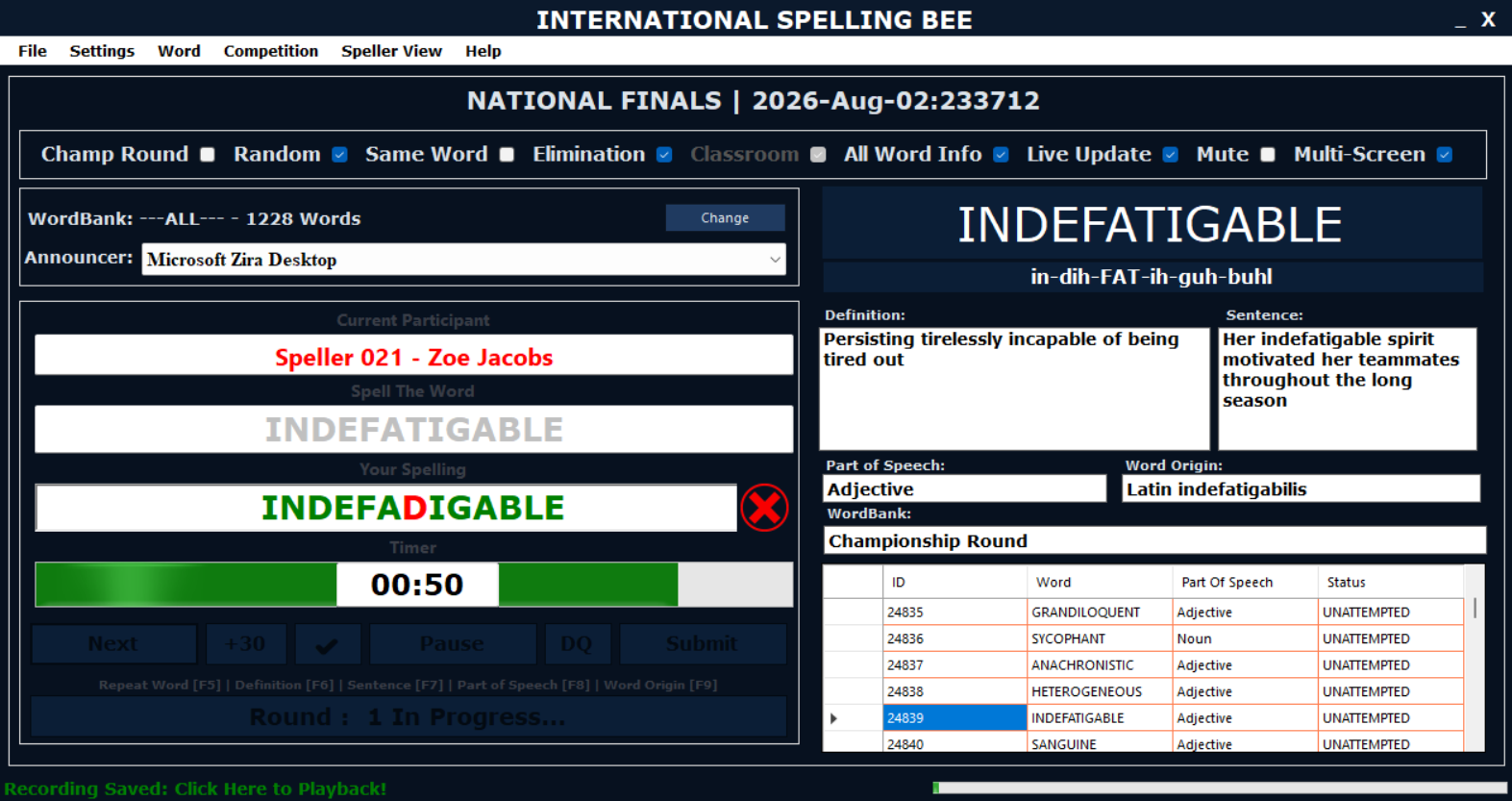
Control formal spelling bee activities including participants, rounds, scoring and eliminations.
Adjudicator Screen
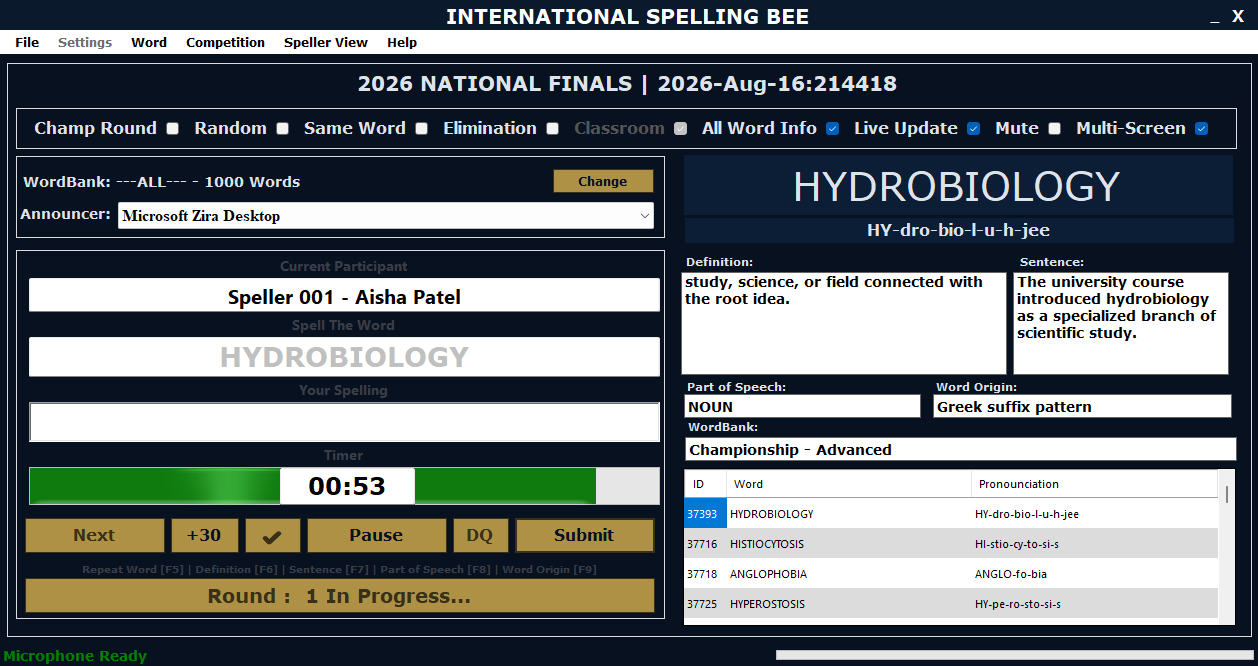
Give officials a dedicated control view for managing rounds, words, scoring and progression.
Speller Screen
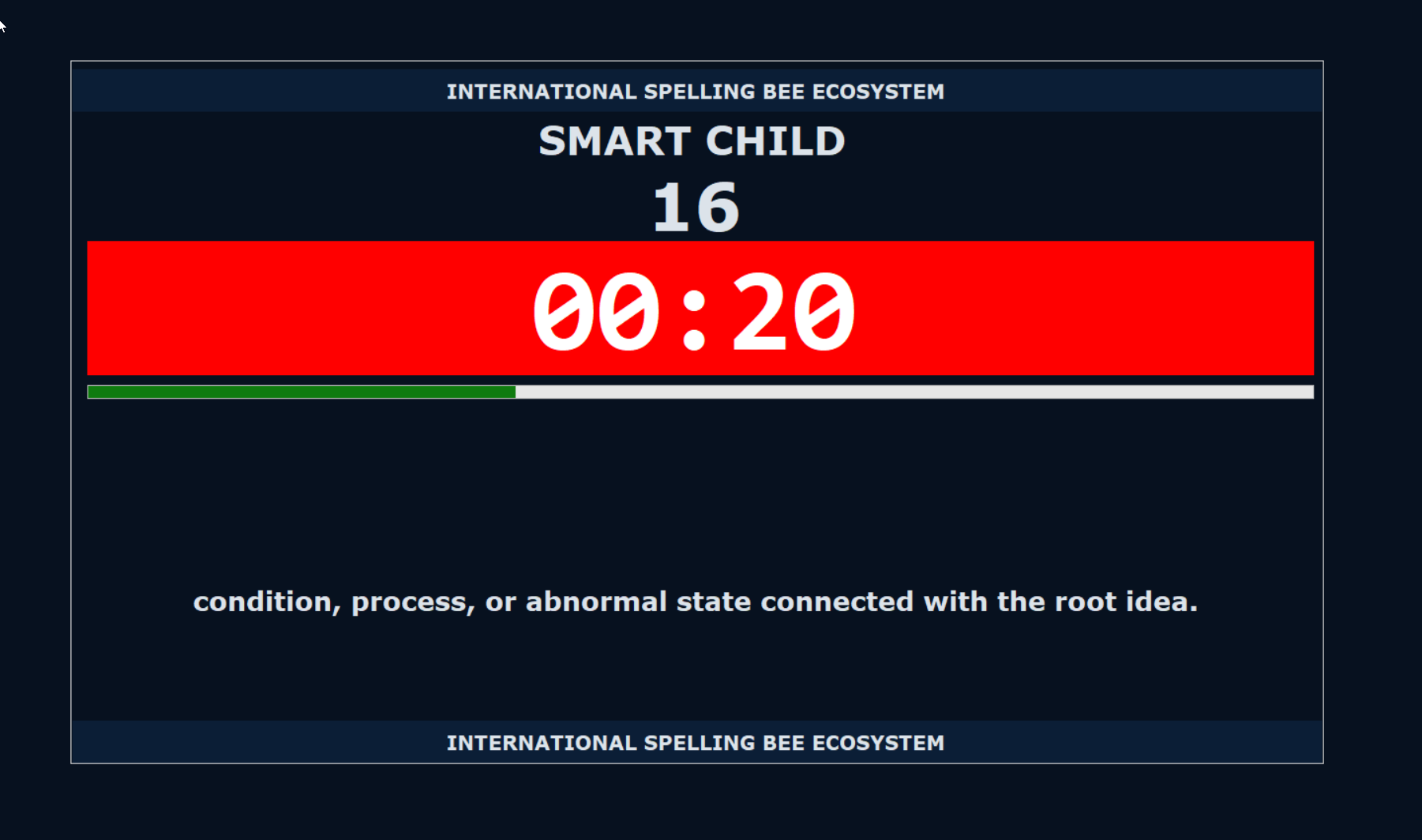
Provide participants with a focused display for competition activity and spelling response.
Audience Display
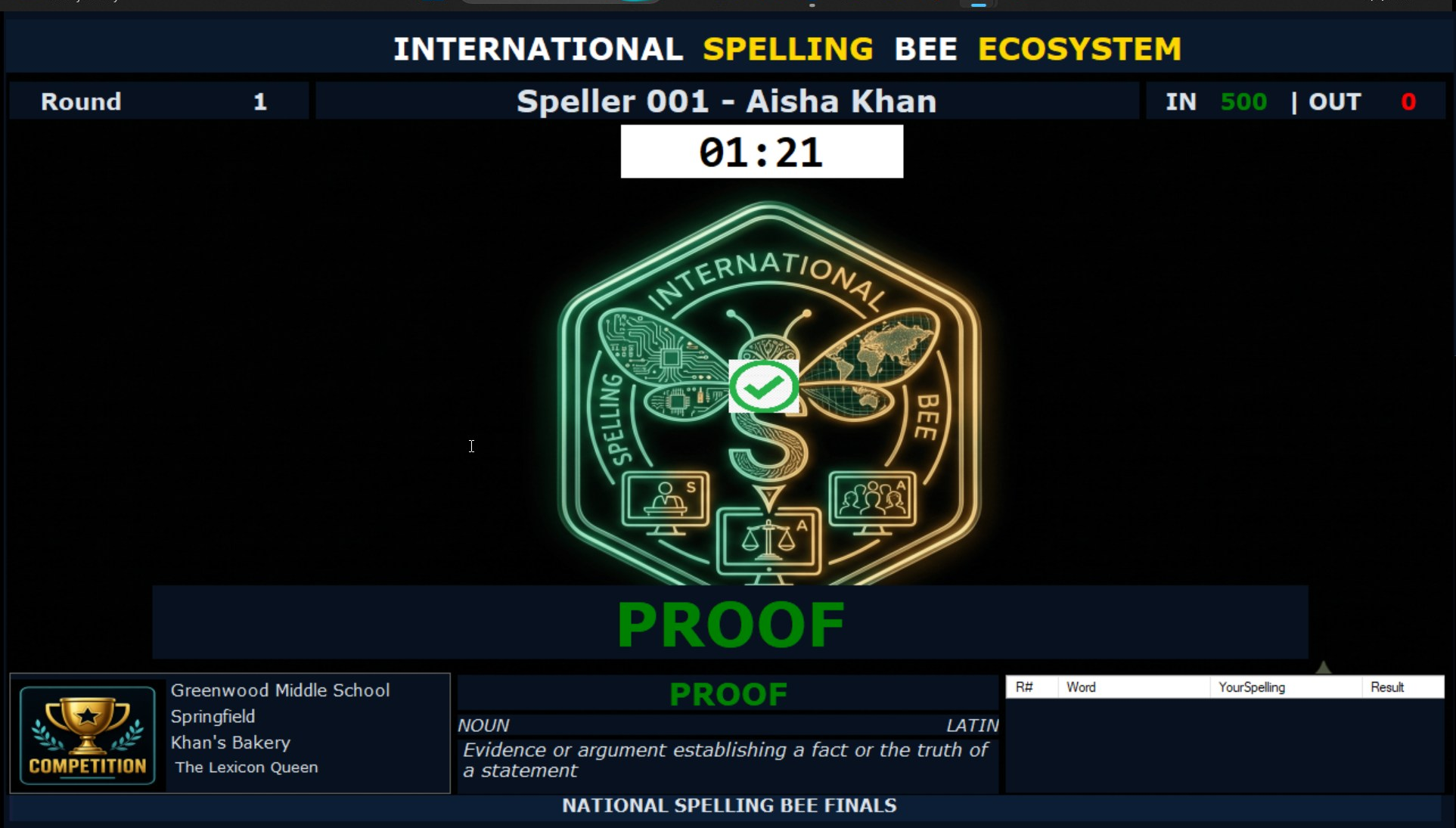
Show live competition information clearly for audiences, halls, projectors and livestream-style viewing.
Speed Round
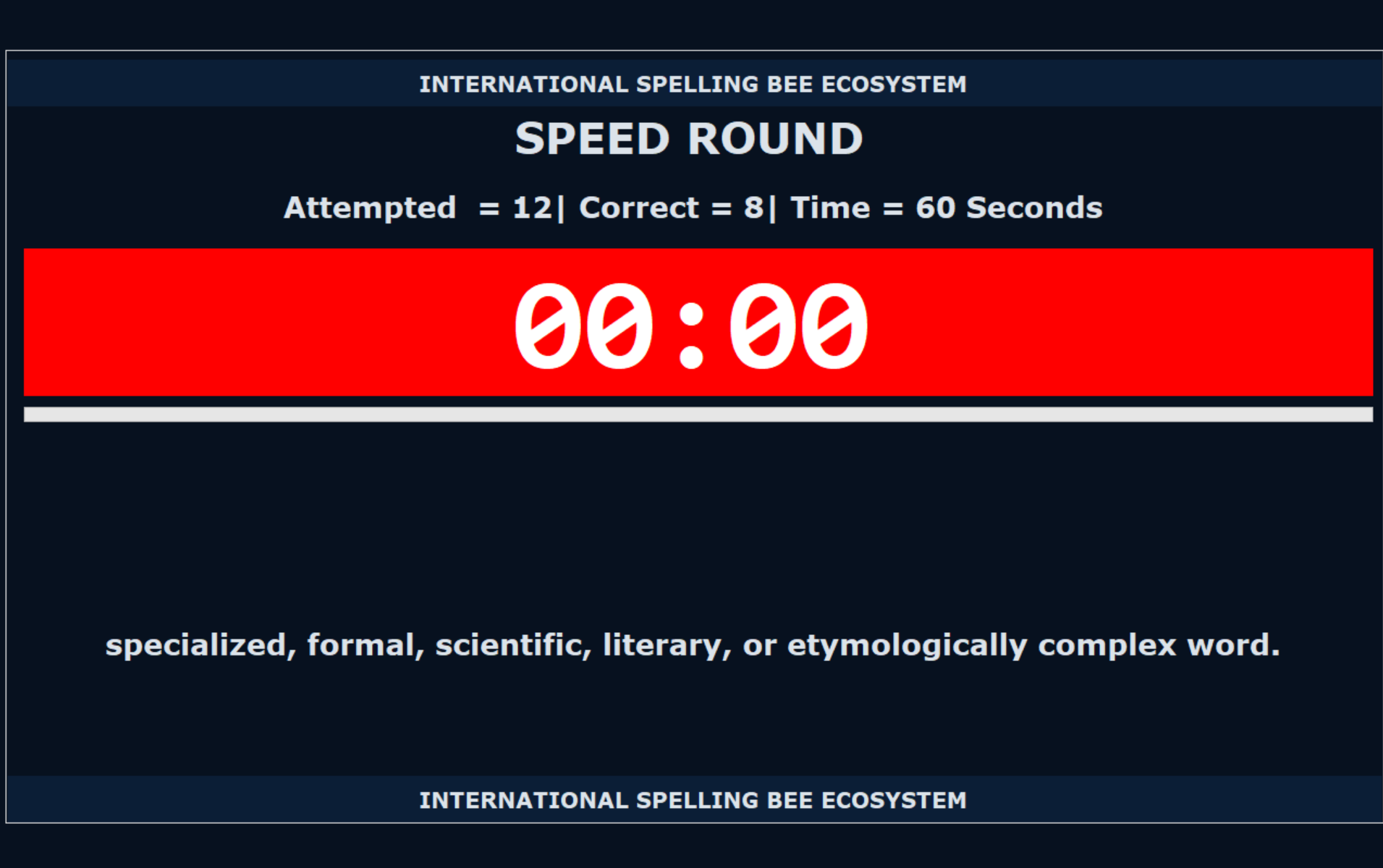
Run timed rounds for high-pressure challenges, tie breakers and fast-paced spelling performance.
Audio Recording
Record announcer and speller audio during competition sessions for replay, review and dispute support.
Branding Screens
Built for Regional Identity and Sponsor Visibility
These screens show how branding can extend from learner preparation to live competition delivery.
Branded Audience Display
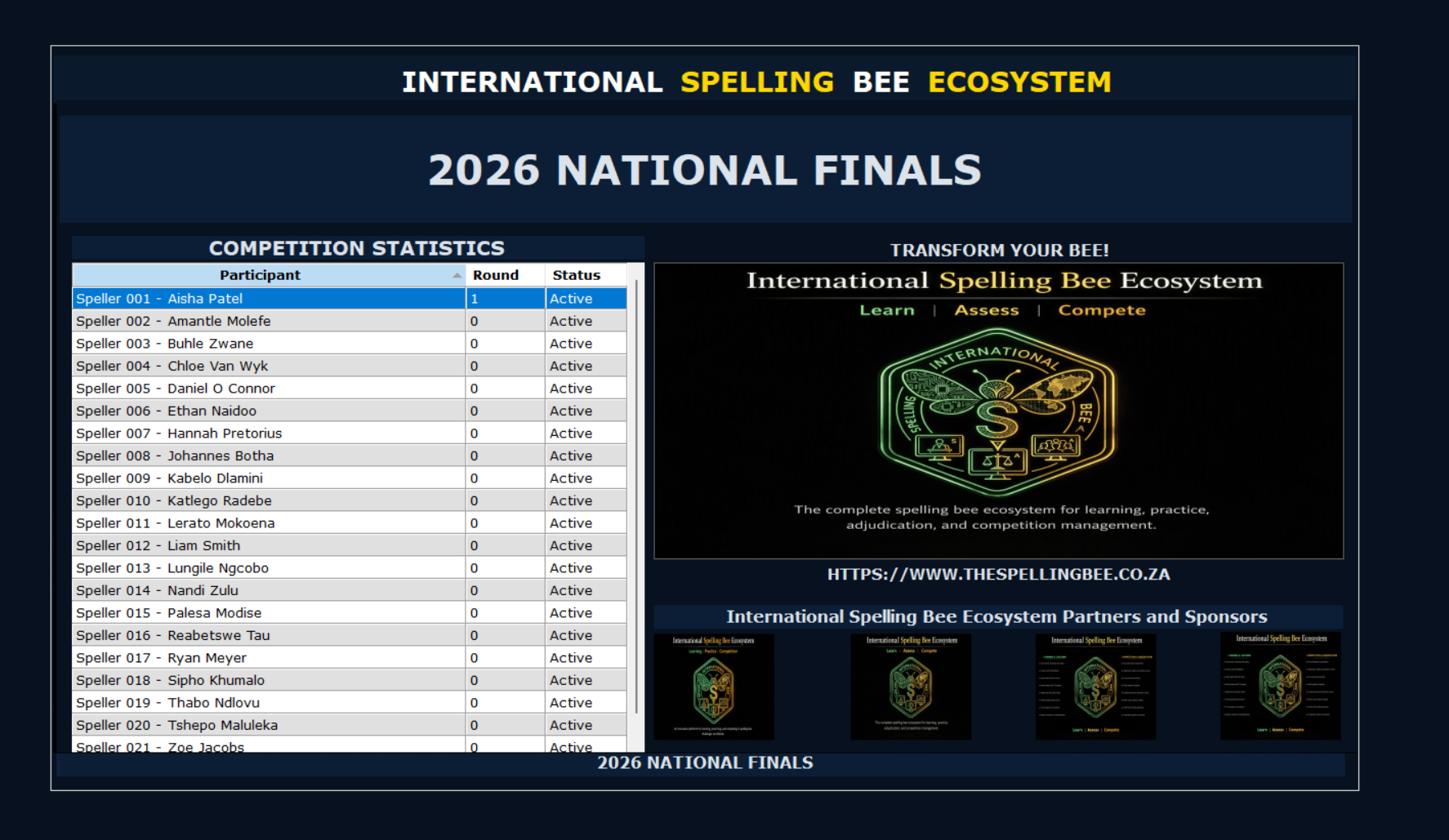
Display organizer, regional or sponsor branding on the audience-facing competition screen.
Branded Learning Tool
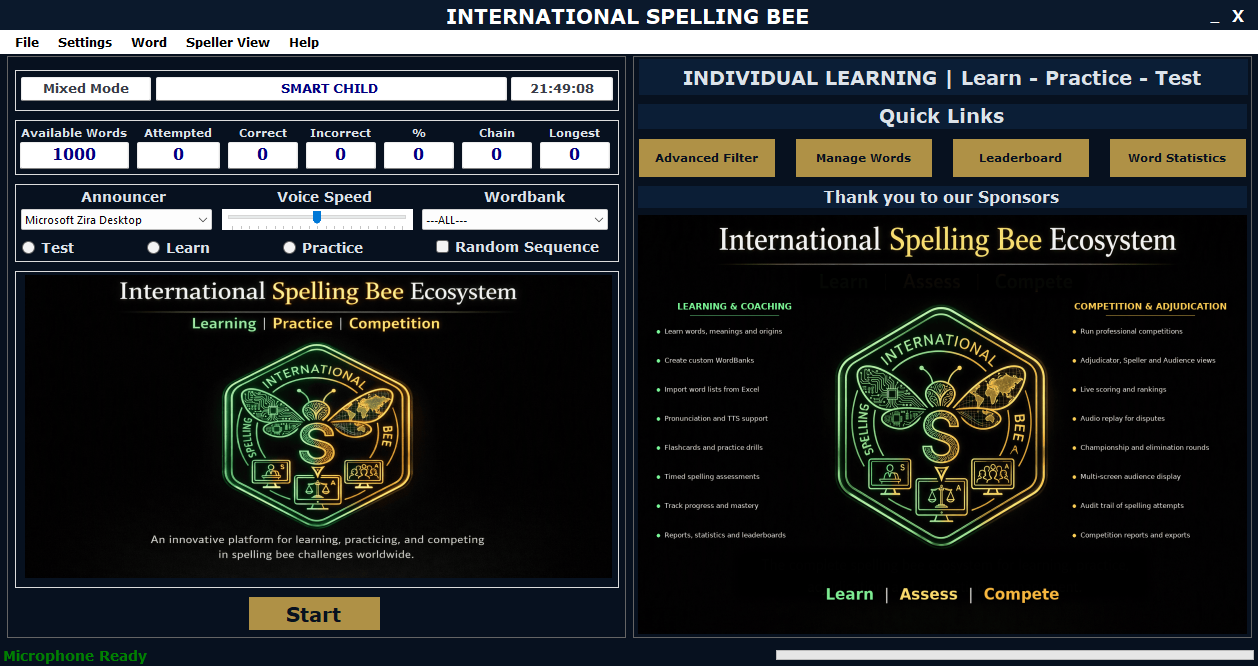
Give participants a branded learning experience before the live event, keeping the program visible during preparation.
Sponsor Visibility
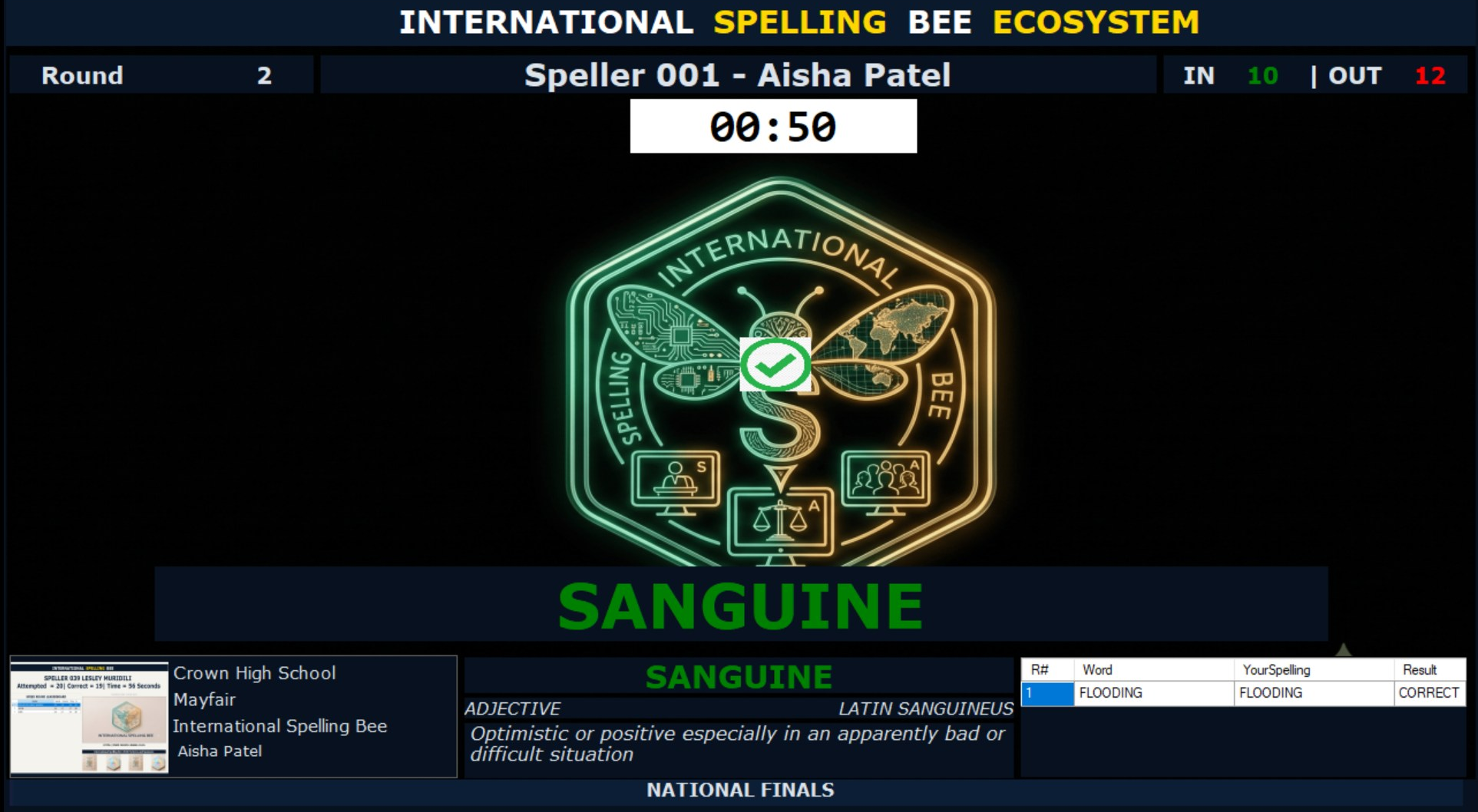
Use the competition environment to create visible space for event partners and sponsors.
Explore More
Every screenshot represents a tool designed to make spelling bee preparation more effective and competitions more engaging. From learning new words and tracking progress to managing WordBanks and supporting live events, The Spelling Bee helps transform spelling practice into a structured and rewarding journey. Learn. Train. Compete.