🔤
Target a Pattern
Use Starts With, Contains and Ends With to find specific letter combinations.
Filter. Focus. Practise. Turn large WordBanks into focused spelling studies using letter patterns, word length, level, origin, WordBank and learner progress status.
Start immediately with predefined Rule-Based WordBanks, or use every available control to create your own precise study set.

Create custom spelling studies from an existing or imported WordBank.
Instead of working through every word, users can narrow a WordBank to the pattern, level, origin or progress status that matters for the current learning objective.
Use Starts With, Contains and Ends With to find specific letter combinations.
Use greater than, greater than or equal to, less than, less than or equal to, or an exact length where available.
Filter by WordBank and level to create a more appropriate practice set.
Focus on categories such as incorrect, unattempted, learnt or practised words where available.
The software comes with predefined Rule-Based WordBanks that already organise words around spelling patterns, roots, origins and learning levels. Learners, parents, teachers and tutors can open these supplied WordBanks and begin studying without configuring the Advanced Filter first.
Choose a supplied WordBank for a known rule or pattern.
Move directly into Learn, Practice or Test without building a custom filter.
Use foundation, intermediate, British-pattern and championship-focused WordBanks.
Use Advanced Filter when the supplied WordBanks do not match the exact objective.
Advanced Filter is an optional power tool for users who want to combine the available controls and create a highly customised study set from an existing or imported WordBank.
View Filter ControlsApply a single criterion such as Ends With = TION.
Refine the result using pattern, length, level, origin and status.
Apply the controls to a supplied or user-created WordBank.
Turn an imported school or competition list into a focused learning activity.
Each control narrows the available words. Combining controls gives the user greater precision.
Find words beginning with a selected letter combination such as KN.
Find words containing a selected pattern such as PH, OUR or OLOGY.
Find words ending in a selected pattern such as TION or SION.
Use exact or comparative length controls to focus the result.
Limit the result to selected content and an appropriate difficulty level.
Use word origin and learner-progress information where available.
These recipes show how individual controls can be combined. Results depend on the words and information available in the selected WordBank.
Contains = PH
Word Length > 7
Use this recipe to focus on longer words containing the PH pattern.
Ends With = TION
Word Length > 8
Use this recipe to focus on longer words ending in TION.
Contains = OUR
Origin = British
Use this recipe when British origin information is available.
Status = Incorrect
Use this recipe to create a revision set from words requiring more attention.
Status = Unattempted
Use this recipe to focus on words not yet attempted in the selected WordBank.
Status = Learnt
Use this recipe to revisit words recorded as learnt.
Level = Hard
Word Length > 10
Use this combination for a demanding advanced study set.
WordBank = Medical Terminology
Word Length > 8
Use this recipe when the relevant WordBank is available.
Contains = OLOGY
Word Length > 8
Use this recipe to focus on longer OLOGY word-family entries.
Starts With = KN
Use this recipe to focus on words beginning with the KN pattern.
Contains = PH
Level = Hard
Status = Incorrect
Combine pattern, level and progress status for a highly focused review set.
Choose the controls that match the objective.
Combine the available fields to create a learner, classroom, tutoring or competition-specific study set.
After creating the focused set, use the Learning Edition to study, practise, test and review progress.
Explore Progress TrackingSelect a predefined, existing or imported WordBank.
Use one or more controls to create the required focus.
Use the filtered words in the appropriate learning mode.
Use reports and Word Statistics to plan the next session.
Use supplied WordBanks for a quick start or Advanced Filter when greater control is required.
Create a focused lesson from a classroom or imported word list.
For Teachers →Focus home practice on difficult patterns or missed school words.
For Parents →Build customised studies around an individual learner's needs.
For Tutors →Create specialised preparation sets using multiple controls.
Advanced Filter complements the built-in WordBanks, Rule-Based Learning and Progress Tracking rather than replacing them.
Start with predefined WordBanks organised around known patterns and roots.
Explore Rule-Based Learning →Use the resulting study set in Learn, Practice and Test modes.
Explore Learning Edition →Review learner outcomes and decide what should be studied next.
Explore Progress Tracking →Organise supplied, custom and imported word content.
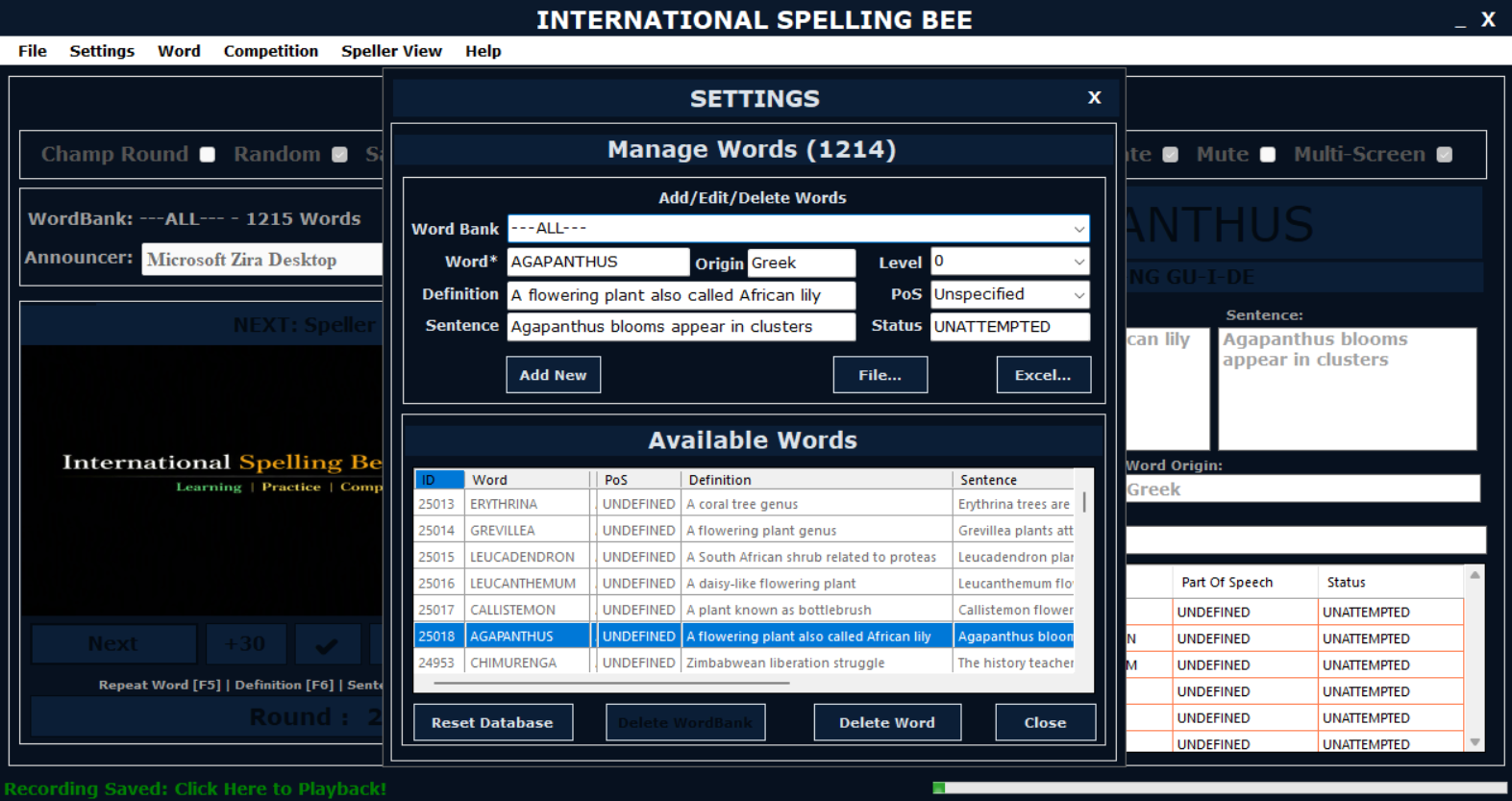
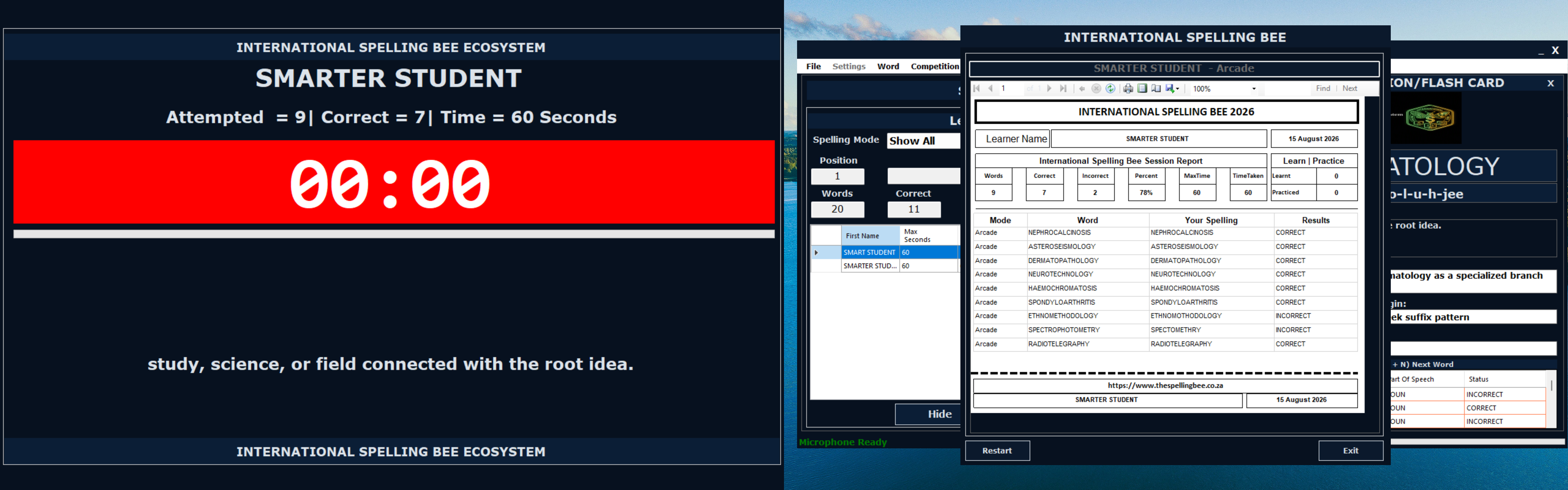
View Software Screens →Preview the interfaces used to filter content, manage WordBanks and review learner progress.
The Learning Privacy Statement addresses learner profiles, WordBanks, progress records, local storage, exports and user-controlled sharing.
Read Learning Privacy StatementLearning information is generally stored on the user's device.
Users manage the WordBanks and files they choose to import or export.
Progress information supports learning, practice, assessment and review.
Users control the reports and files they choose to share.
Use every available Advanced Filter control when you need a learning activity tailored to a specific learner, classroom, tutoring objective or competition preparation goal.