Competition Edition
Run a Professional Spelling Bee with Less Manual Work
Automate the competition. Engage the audience. Grow your brand.
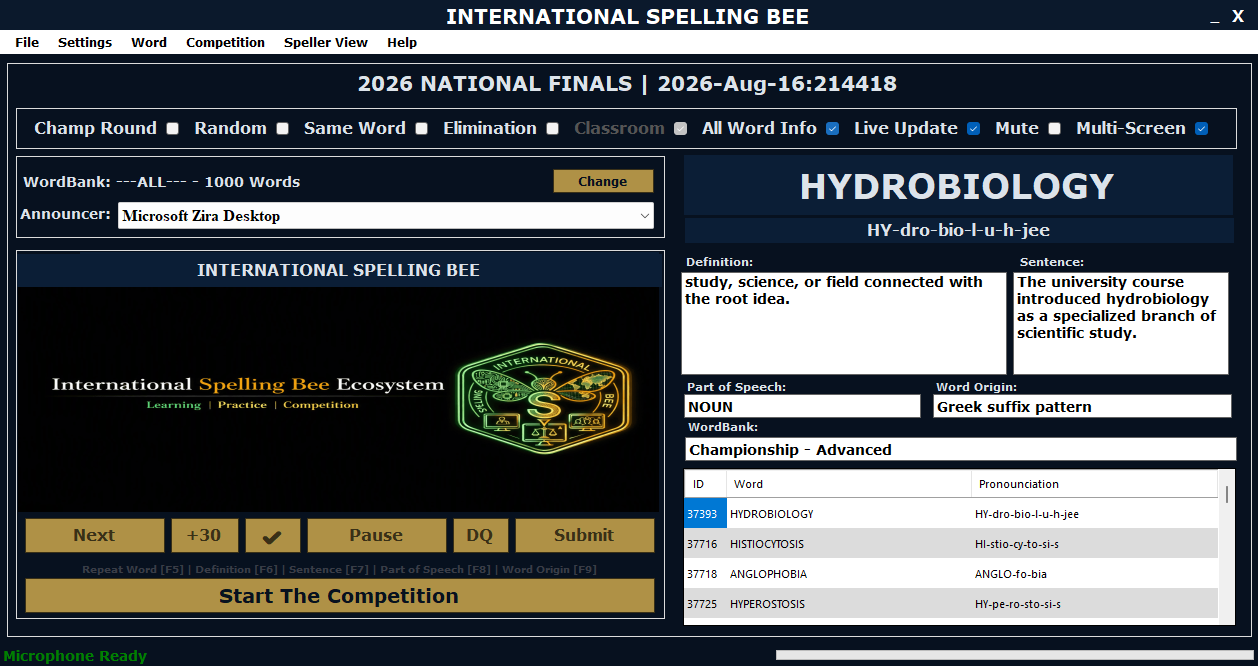
The Competition Edition is built for schools, organizers and regional partners who need a reliable way to manage participants, rounds, scoring, eliminations, live displays and competition records from one platform.
Use your strongest competition screenshot here.
The Problem
Large Spelling Bee Events Are Difficult to Run Manually
Organizers must keep participants, rounds, scoring, eliminations, timing, word delivery and audience communication aligned throughout the event.
Manual Scorekeeping
Manual scoring and spreadsheets increase admin work and create room for mistakes during high-pressure rounds.
Disconnected Officials
Audience displays, adjudicator controls and speller information can become difficult to keep synchronized without one shared system.
Limited Transparency
Participants, officials and audiences need clear competition information during rounds, eliminations and results.
Training Gaps
Participants need structured preparation tools before the event, not only a system used on competition day.
Branding Missed
Regional organizers and sponsors need consistent visibility across learning, competition and audience-facing screens.
Unnecessary Workload
Using multiple tools can make event administration slower, harder to control and more stressful for organizers.
The Solution
A Complete Competition Management & Training Platform
The platform replaces separate manual processes with one offline ecosystem for competition control, scoring, displays, participant tracking and learner preparation.
Competition Management
Manage participant registration, round setup, word assignment, scoring, elimination tracking and round progression.
Round Automation
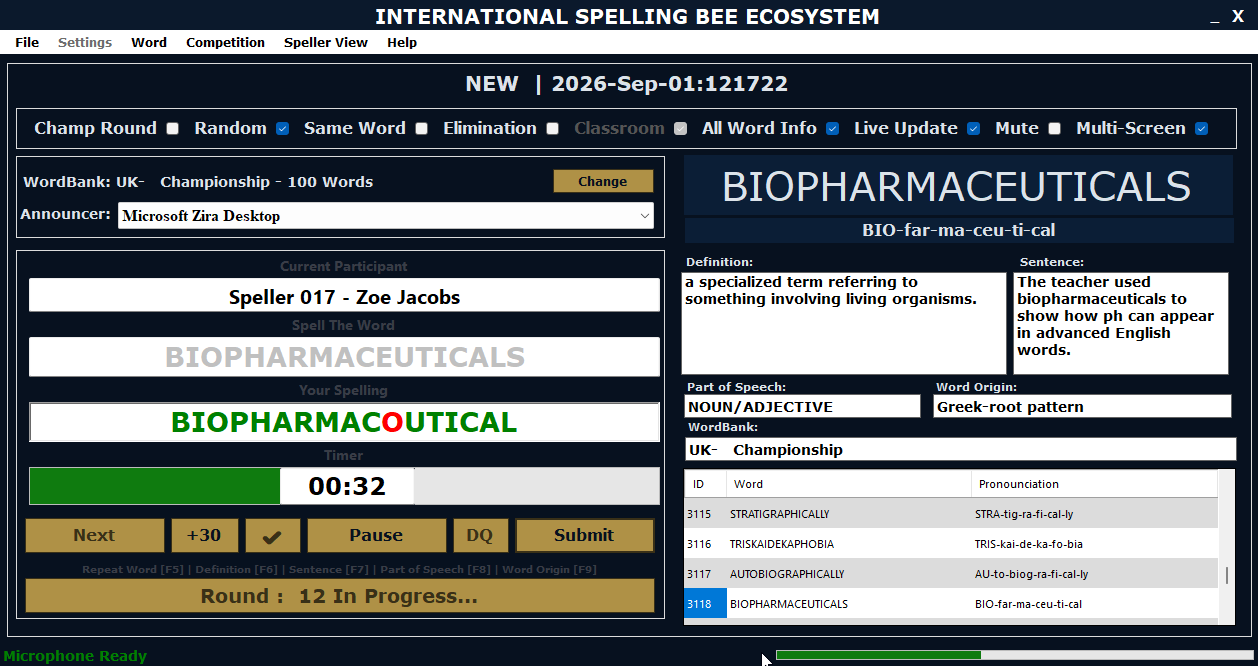
Support word delivery, pronunciation, timer management, instant scoring and round progression from one system.
Multi-Screen Support
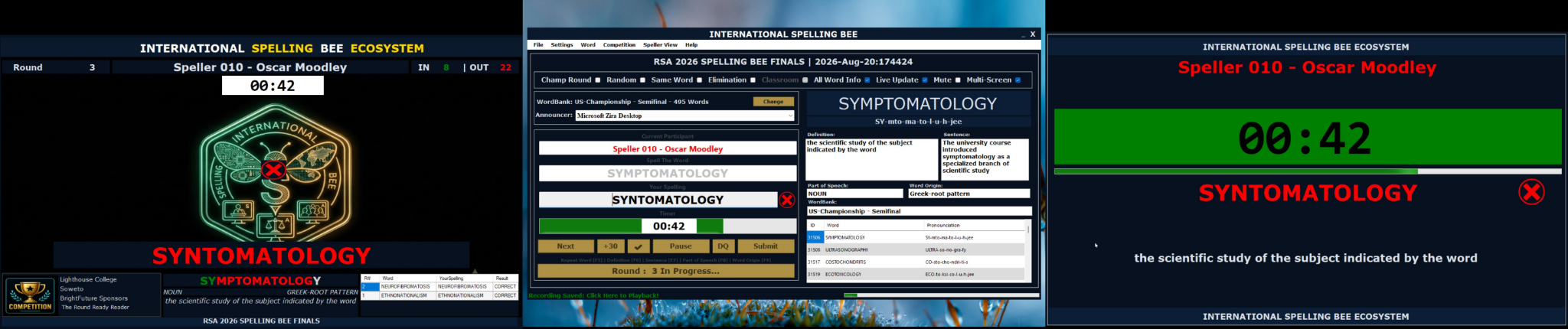
Use different role-specific screens for adjudication, spellers and the audience.
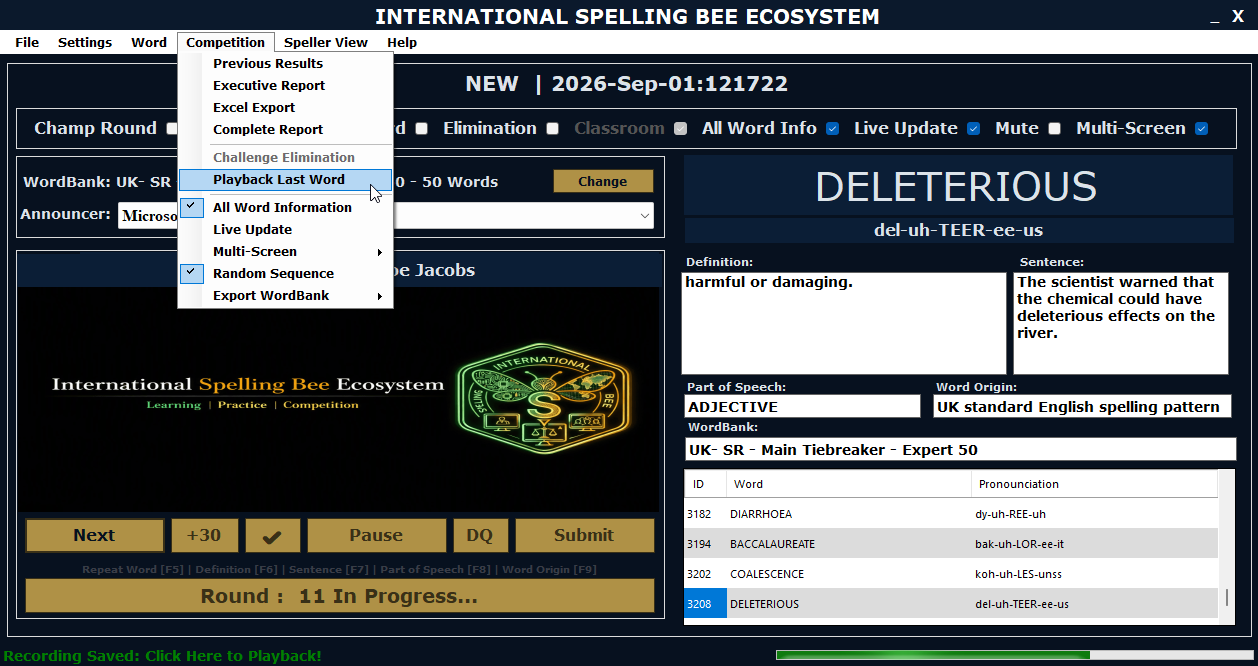
Audio Recording
Record announcer and speller audio during Competition and Speed Round sessions for replay, review and dispute support.
Reports & Results
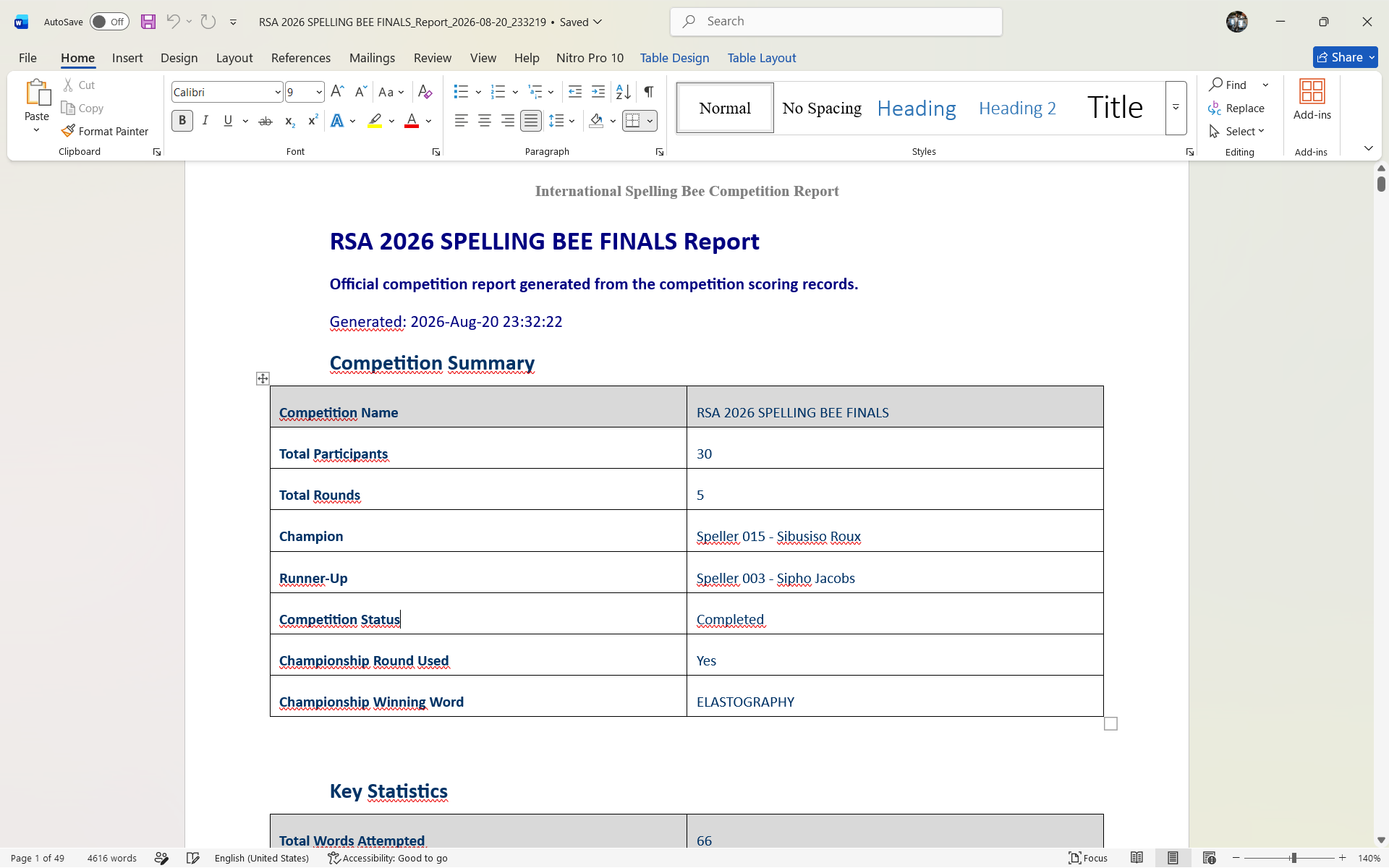
Keep useful records of competition outcomes and learner performance information.
Offline Operation
Run events without depending on internet connectivity during the competition.
3-Screen Architecture
Purpose-Built Screens for Each Role
The system separates what the organizer controls, what the speller sees and what the audience experiences.
Adjudicator Screen

Controls the round, words, scoring and competition progression from the organizer's view.
Speller Screen

Shows the speller's name, word, timer, word details and confirmations in a focused display.
Audience Display

Provides a visual display for halls or livestream viewing with timer, speller name and correctness indicators.
Competition Tools
Everything Needed to Conduct the Competition
These features are designed to reduce manual effort and keep the event fair, organised and easy to follow.
Competition Mode

Formal competition control for rounds, participants, scoring and eliminations.
Speed Round

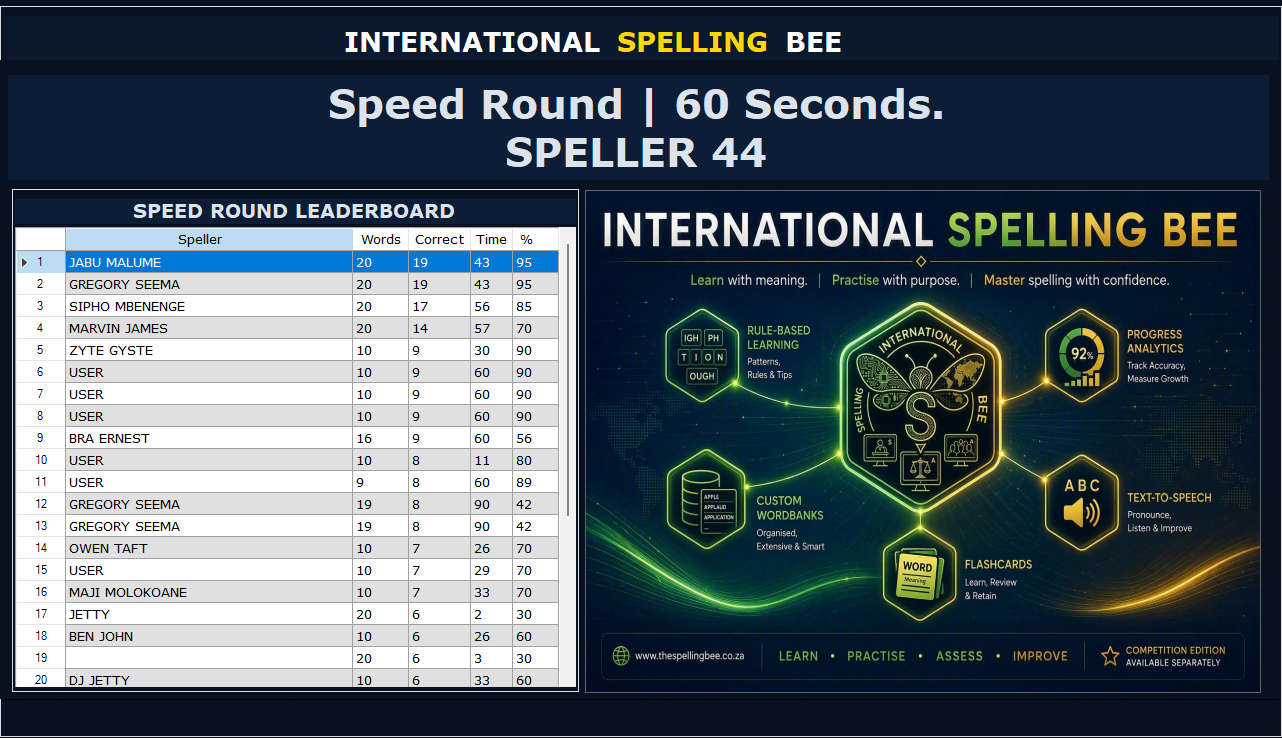
A fast-paced timed challenge for single-speller performance and leaderboard tracking.
Audio Recording

Records announcer and speller audio during Competition and Speed Round sessions for review and replay.
Branding & Partnership
Turn the Software into Your Regional Spelling Bee Identity
For organizers and partners, the software can become more than a competition tool. It can also carry your name, sponsor identity and regional programme branding.
Custom Branded Competition Screens
Your logo and sponsor branding can appear across the competition experience, including the adjudicator, speller and audience-facing screens.
- Custom logo on all three screens.
- Region-specific competition title.
- Sponsor bar on the audience display.
- Optional livestream integration skin.
Branded Learning Tool for Participants
Participants can use a branded version of the software for preparation, making your organization visible during practice before the live event.
- Learners prepare using the same ecosystem used in the competition.
- Your brand remains visible on learners' devices during preparation.
- Supports more standardised preparation across schools and regions.
- Useful for sponsors and regional spelling bee programmes.
Benefits
Why Organizers Use the Competition Edition
The goal is simple: make competitions easier to run, easier to follow and more professional for everyone involved.
Less Manual Admin
Reduce the need for separate spreadsheets, paper score sheets and disconnected tools.
Better Event Control
Keep rounds, words, scoring, eliminations and displays aligned from one platform.
Improved Fairness
Use clear role-specific displays, structured scoring and review support for competition decisions.
Audience Engagement
Show competition information on a live audience display for halls or livestream viewing.
Participant Preparation
Support learners before the event with built-in training and learning modules.
Increased Brand Visibility
Use branded screens and a branded learning tool so your programme or sponsor brand remains visible before and during the competition.
How It Works
From Preparation to Final Results
The competition ecosystem supports the full journey from learner preparation to competition delivery.
Prepare Participants
Use the branded learning tool and training modes to help participants practise before the event.
Set Up the Competition
Load participants, prepare WordBanks and configure competition settings for the event.
Run the Rounds
Use the adjudicator screen to control words, timers, scoring, eliminations and progression.
Engage the Audience
Use the audience display to show live competition information and branded event visuals.
Review and Report
Use results, recordings and reports for review, transparency and post-event records.
Competition Demo
Ready to Run a More Professional Spelling Bee?
Request a demonstration if you want the Competition Edition, custom branded screens, or a branded learning tool for your participants.