Feature Reference
Everything The Spelling Bee Platform Can Do
Learning. Competition. Reporting. Branding.
Explore the full capability set of The Spelling Bee software, from learner preparation and WordBank management to competition automation, live displays, audio recording and branded regional partnership options.
At a Glance
One Platform, Multiple Uses
The software supports students, parents, teachers, schools, competition organizers and regional partners.
- Learning and practice tools for learners.
- WordBank and word management tools for preparation.
- Competition automation for live spelling bee events.
- Branded screens and learning tools for partners.
Learning Features
Tools for Learner Preparation
These features help learners build spelling confidence before assessment or competition day.
Learn Mode
Study words with definitions, parts of speech, usage examples and etymology.
Practice Mode
Practise spelling by unscrambling words with guided support.
Test Mode
Use timed spelling activities with end-of-session results.
Arcade Mode
Fast-paced spelling practice where learners spell as many words as possible before the timer ends.
Flashcards
Create study aids from individual words, WordBanks or all words in the software.
Text-to-Speech
Hear words pronounced using available voice and pronunciation options.
Word Management
Build and Control Your Word Content
WordBanks and import tools help schools, teachers and organizers prepare the right word lists for learning and competition.
Custom WordBanks
Organise words into categories for targeted learning and competition preparation.
Spreadsheet Import
Import words with supporting details such as definitions, usage examples and etymology.
Text File Import
Bulk-import words from plain text files for faster setup.
Manual Word Entry
Add individual words and their details directly into the software.
Advanced Filters
Filter words by length, origin, part of speech or status.
Targeted Practice
Use selected WordBanks and filters to focus practice where it matters most.
Competition Features
Run the Event with Less Manual Work
These features are designed for professional spelling bee competition delivery.
Competition Management
Manage participants, rounds, scoring, elimination and competition progression.
Speed Round
Use a fast-paced timed mode for tie-breakers or high-energy spelling challenges.
Automated Scoring
Reduce manual scoring work and support smoother event administration.
Participant Tracking
Track participant status, round progress and competition outcomes.
Audio Recording
Record announcer and speller audio during Competition and Speed Round sessions for replay and review.
Competition Pronunciation Support
Use pronunciation support during competition activities where applicable.
Visual Features
Key Screens and Live Displays
Use purpose-built screens for different roles during preparation and live competition.
Learn Mode
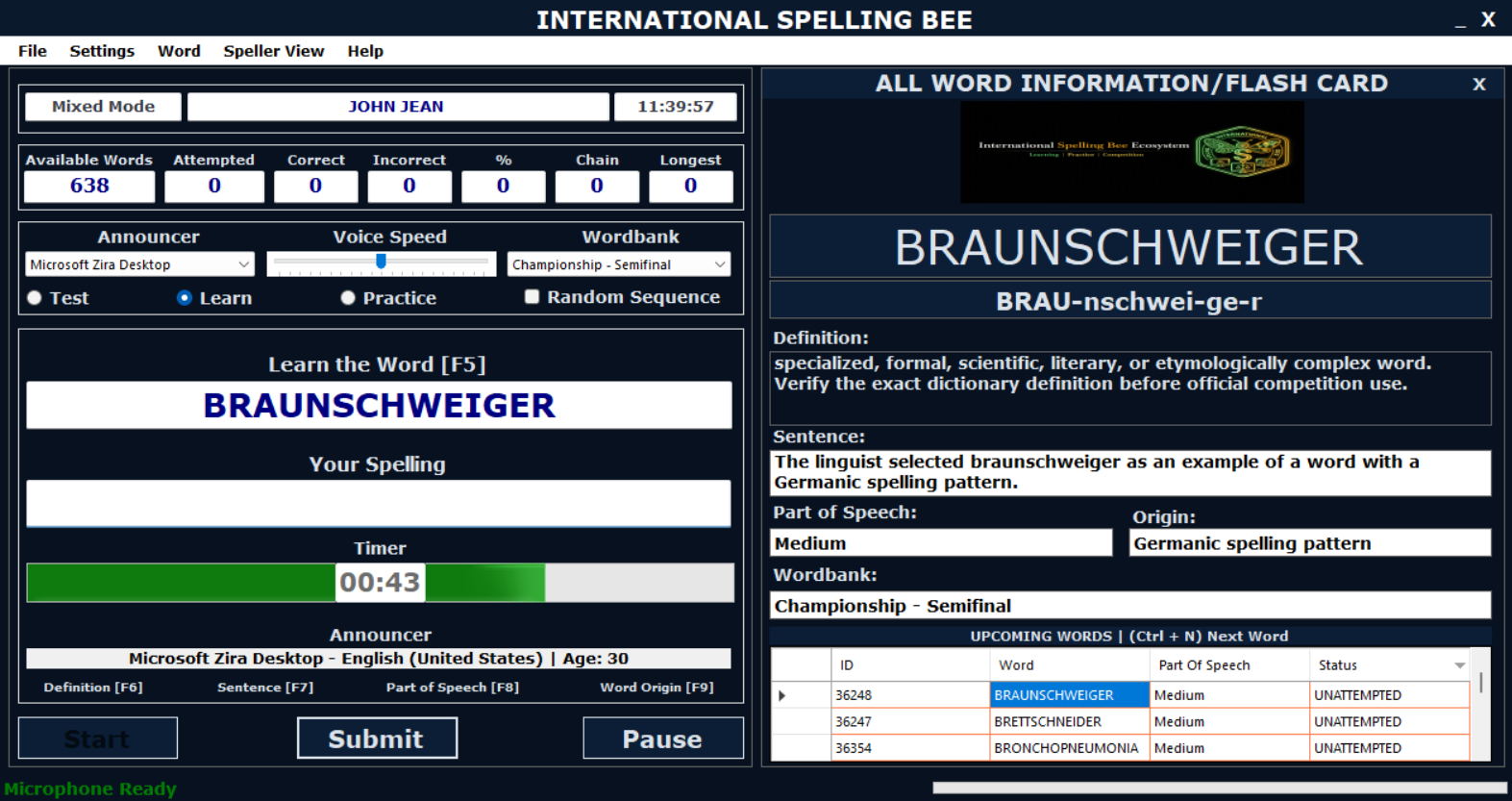
Learning screen for word study and spelling preparation.
Competition Mode
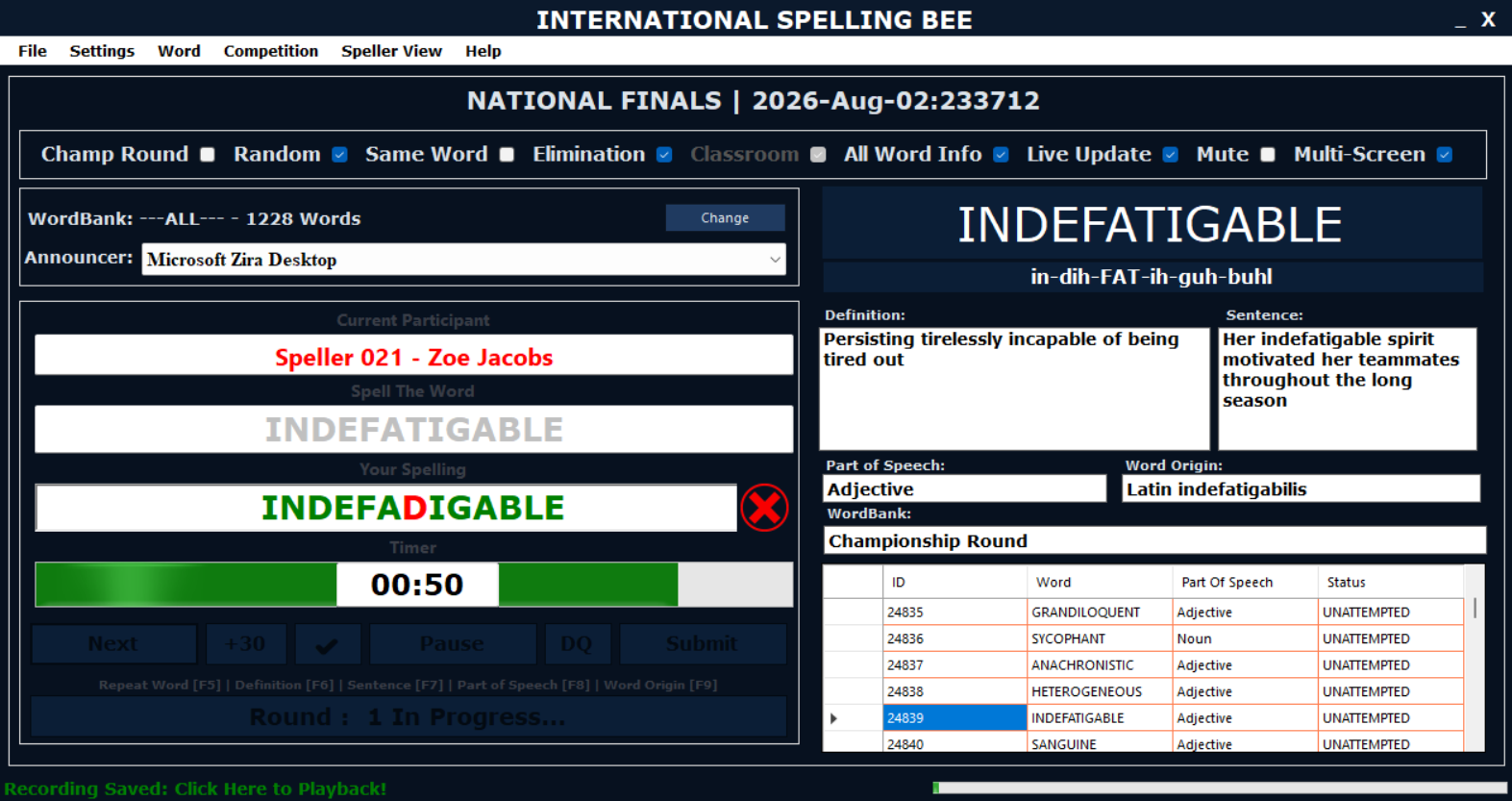
Competition control for rounds, participants and scoring.
Audience Display
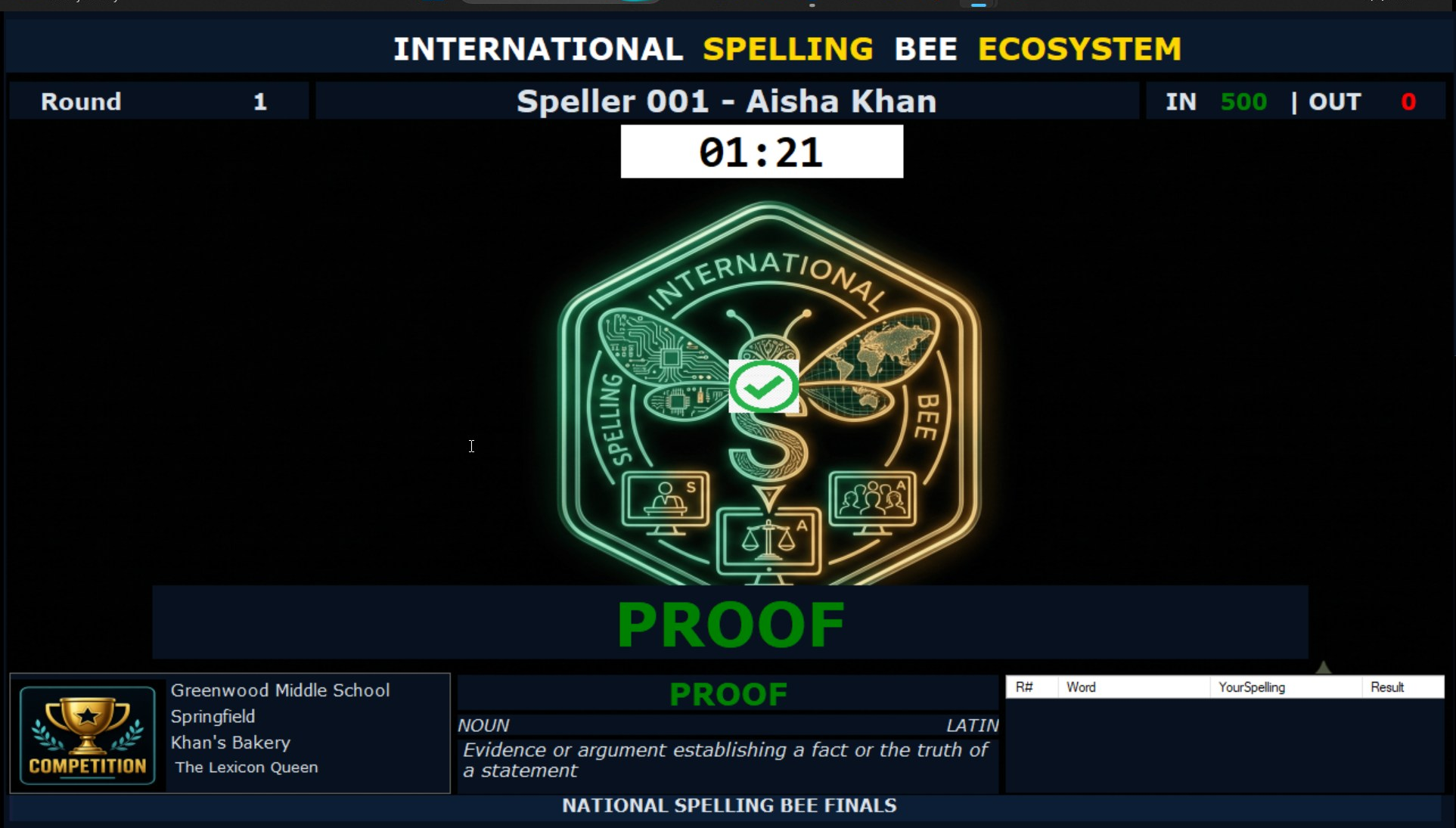
Live visual display for audience viewing or livestream support.
Multi-Screen Architecture
Separate Views for Officials, Spellers and Audiences
The competition environment is built around role-specific screens to keep the competition clear and structured.
Adjudicator Screen
Controls the current round, words, scoring and progression.
Speller Screen
Shows the speller information, timer, word details and confirmations.
Audience Screen
Displays live competition information for halls or livestream audiences.
Reporting
Track Progress, Results and Word Performance
Reporting tools help learners, teachers, parents and organizers review progress and outcomes.
Session Reports
Review correct words, incorrect words and practice session outcomes.
Word Statistics
Track attempts, correct rate and word status across the learning environment.
Practice Leaderboard
Compare progress across user profiles on the same device.
Branding Features
Support Regional Identity and Sponsor Visibility
Branding options help organizers turn the platform into a visible part of their spelling bee programme.
Custom Branded Screens
Display custom logos and competition branding on the competition screens.
- Adjudicator screen branding.
- Speller screen branding.
- Audience display sponsor visibility.
Branded Learning Edition
Provide participants with a branded learning tool before competition day, increasing programme visibility during preparation.
- Supports consistent preparation.
- Keeps organizer and sponsor branding visible.
- Useful for regional spelling bee programmes.
Next Step
Choose the Page That Matches Your Need
Use the Learning Edition page for learner preparation details, or the Competition Edition page for event management, branding and demo enquiries.