📖
Prepare learners
Move from understanding to guided practice, independent assessment and speed.
Meaningful learning, focused practice, professional competition delivery, live event presentation and evidence-based reporting in one connected ecosystem.
Open the Visual Quick Start Guide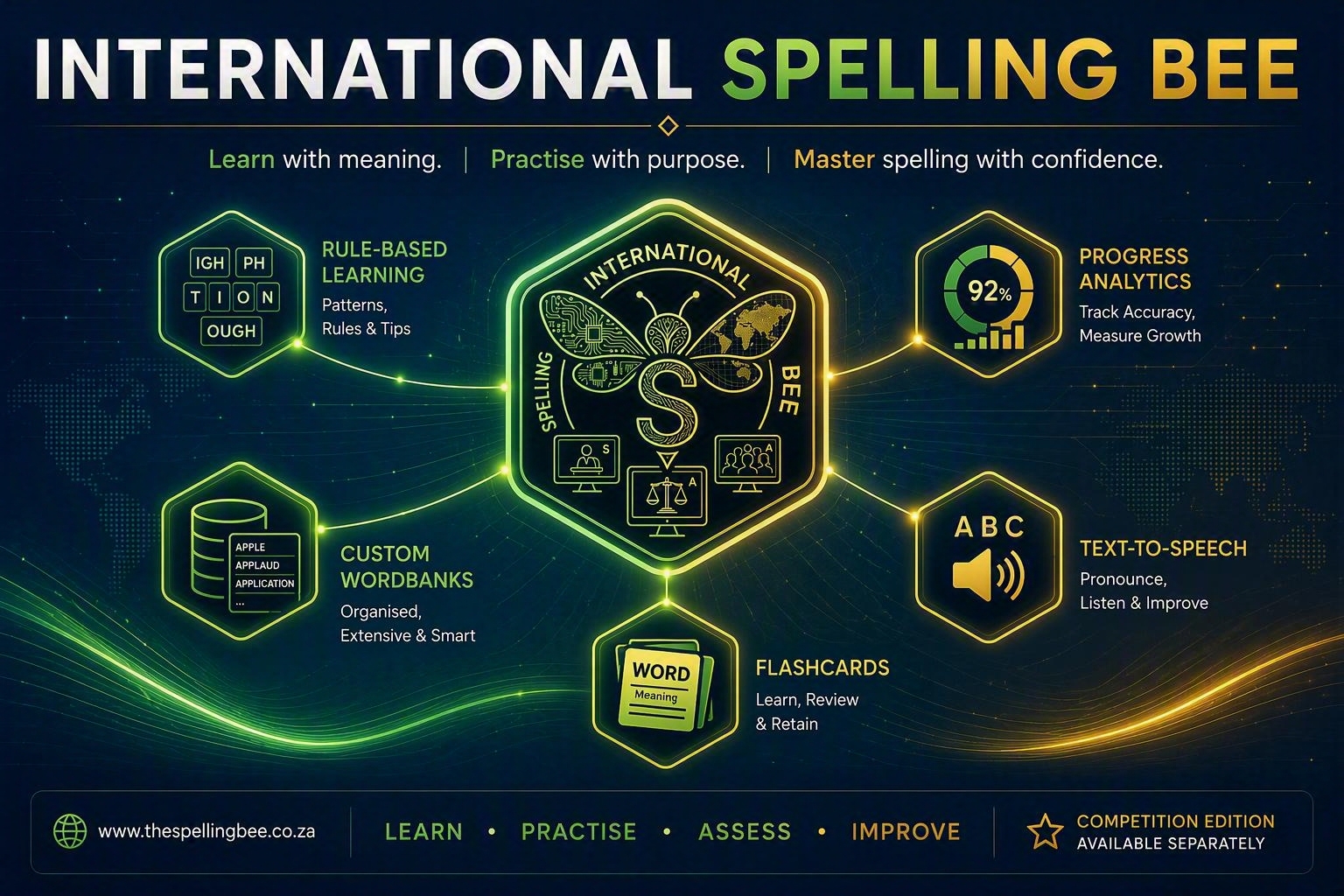
Use one structured platform to guide learners, manage approved content, operate spelling bee events and produce reliable reports.
Move from understanding to guided practice, independent assessment and speed.
Build reusable WordBanks with spelling, meaning, sentence, origin and status.
Register participants, adjudicate rounds and synchronise live competition views.
Preserve session evidence, detailed attempts, placements and participant records.
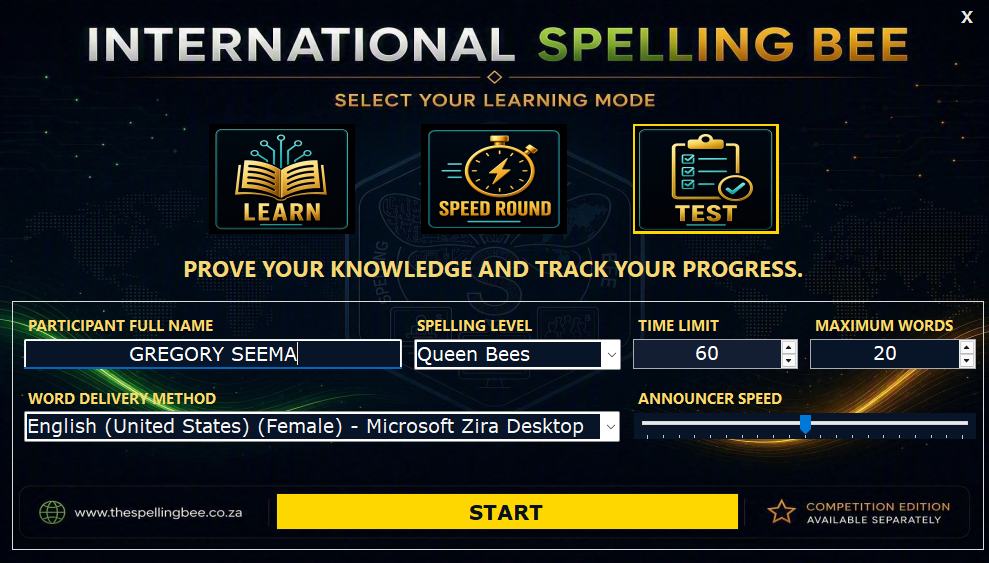
Explore Learn, Practice and Test across three difficulty levels, then take the themed 90-second Speed Round. Definitions and parts of speech remain visible during timed spelling to help spellers identify the intended word.
Move through Learn, Practice, Test and Individual Speed Round, then use statistics and reports to target the next activity.
Competition Edition combines configurable round formats, progression rules, live adjudication, three-screen presentation, audio evidence and professional reporting in one controlled event record.
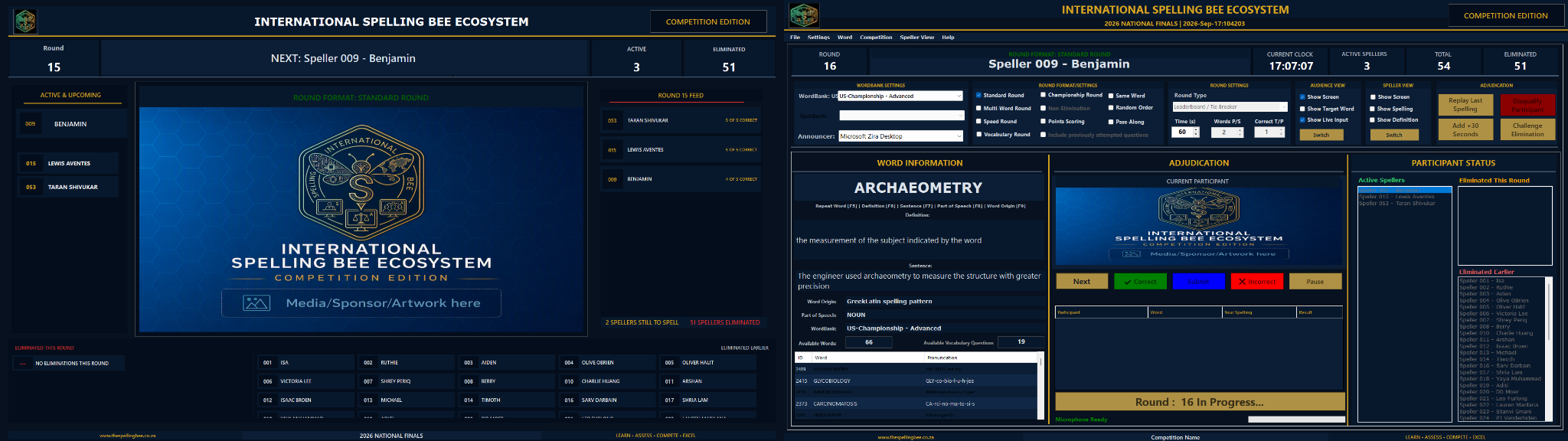
The Audience, Adjudicator, and Speller screens update together in real time from one live competition record.
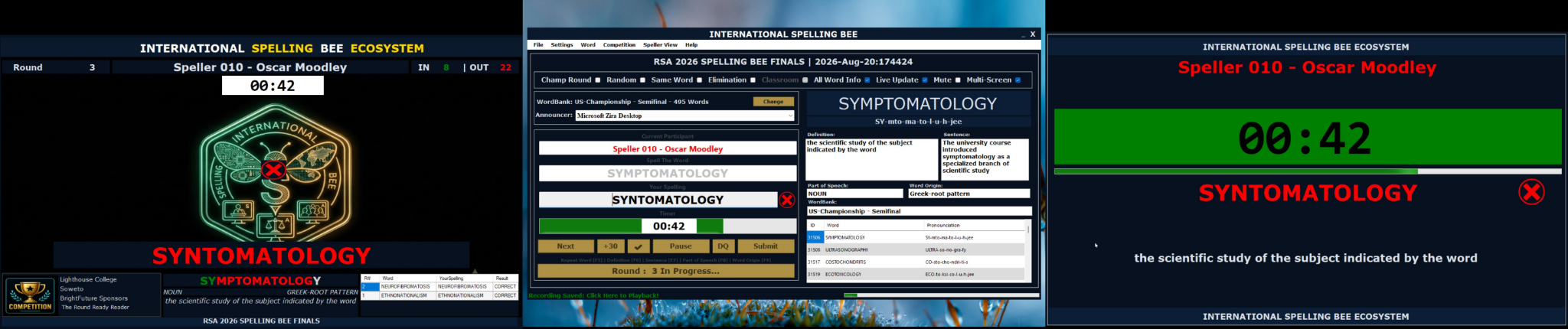
Displays competition sponsors, event identity, live statistics, leaderboards, and real-time speller status to the venue.
Central operator view for word delivery, participant order, decision logging, timing, and round progression controls.
A focused view showing active speller details, countdown timer, word definitions, and Speed Round metrics.
Generate competition summaries, placements, round outcomes, detailed attempts, champion paths and individual participant records.
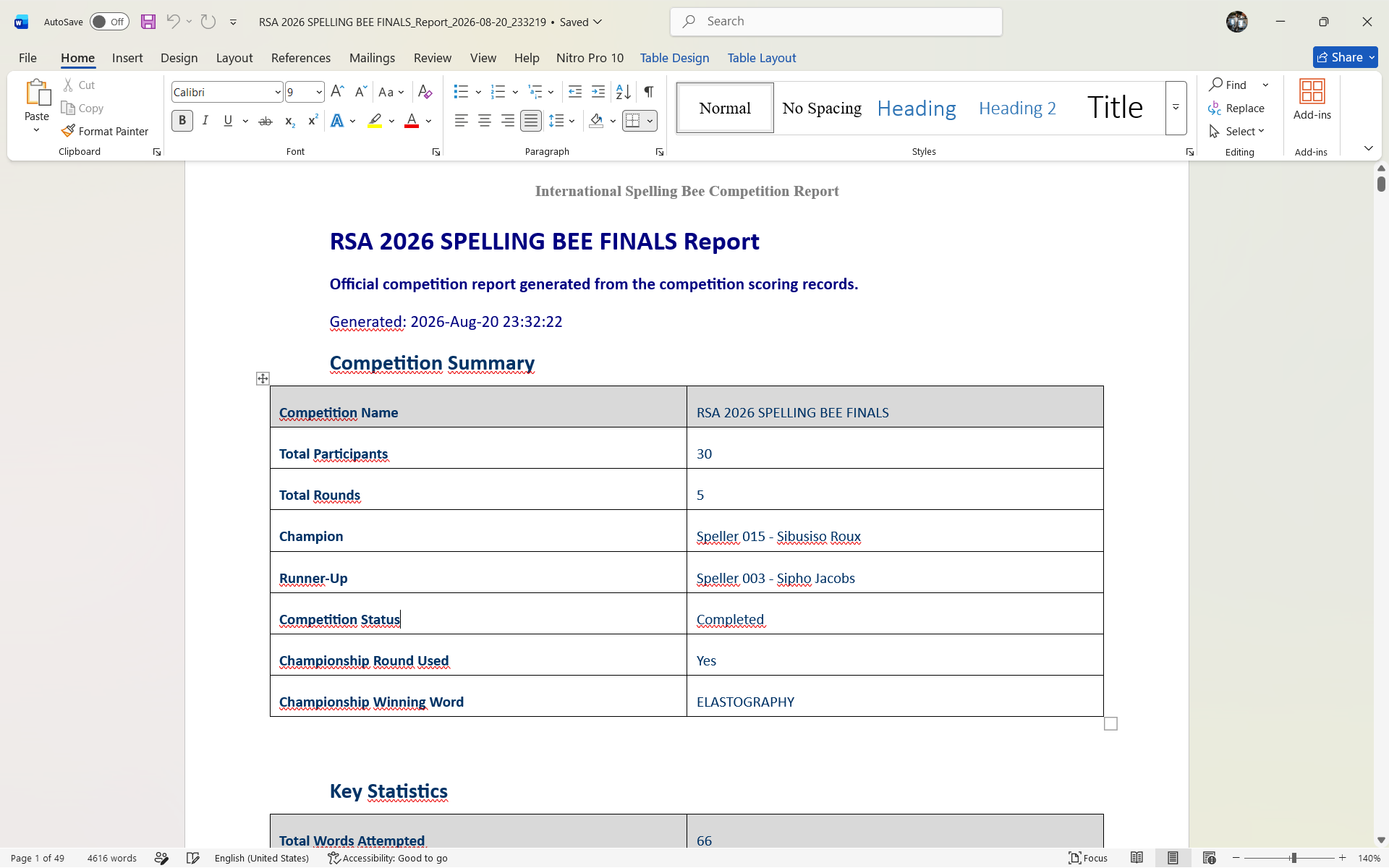
Align the platform with approved rules, content, participant access, programme identity, licensing, implementation and reporting requirements.
Explore Custom SolutionsAlthough the International Spelling Bee Ecosystem may carry my name, its journey was never mine alone.
This is my public acknowledgement to everyone who tested, questioned, supported, encouraged and believed.
Read Built with BeliefDownload the Learning Edition through the Microsoft Store.

Explore Competition Edition or contact us about event delivery and customised solutions.